
Resume Builder App: What the Best One Lets You Do
See the 4 non-negotiables of a great resume builder app: ATS-safe templates, AI bullet help, easy edits, and clean PDF export. Compare smartly.
 Published by Pika Resume Team|July 20, 2026|10 min read
Resume Builder App: What the Best One Lets You Do
A good resume builder app should do four things quickly: help you write stronger bullets, keep the layout ATS-friendly, export clean PDFs, and let you tailor versions without fighting the format. That is the standard this article uses, because speed only matters if the resume still looks sharp and parses cleanly.
Last updated: 2026-07-19
As of July 2026, that is still the real test, not whether an app has the longest feature list. Pikaresume focuses on those practical steps, not on flashy promises, and that is the right lens for choosing a tool you will actually use. In one 2024 ATS study by Jobscan, 99.7% of Fortune 500 companies were reported to use an ATS, which is why structure matters as much as speed.
Key takeaways
- The best resume builder app helps you build, edit, tailor, and export a resume without wasting time on formatting.
- ATS-friendly layouts matter because the app has to preserve standard section labels, clean spacing, and readable structure.
- AI bullet points are useful when they turn rough experience into clear achievement statements, not when they write generic filler.
- A free plan is only useful if it lets you finish the job, including download and export.
- The best app is the one that fits your workflow on iPhone, Android, or desktop and still gives you a clean PDF at the end.
What the best resume builder app should let you do
The best resume builder app lets a job seeker build, edit, tailor, and export a polished resume fast, without breaking the layout or losing control of the content. It should save time on formatting, help turn rough experience into usable bullets, and finish with a clean download path. If you want the simple version of that standard, this is the same practical role Pikaresume describes in its guide to what a resume builder does for job seekers.
That means the app has to solve the whole workflow, not just the opening step. You should be able to start from a template, change section order if needed, edit on mobile, and export a file that is ready to send.
The core features every strong resume builder app needs
A strong resume builder app needs ATS-safe structure, fast writing help, simple export, mobile access, and templates you can edit without fighting the page. Those are the non-negotiables, because a resume only helps if it can be submitted cleanly and read correctly by software and people.
- ATS-friendly layouts. The app should use standard headings like Experience, Education, and Skills, with predictable spacing and no hidden formatting tricks. That is why a clean structure matters more than decoration, and why a guide like ATS-friendly layouts is relevant when you compare tools.
- AI bullet points. A useful app should help you turn rough notes into achievement bullets with action verbs, numbers, and outcome language. Good AI helps you draft faster, but it should not replace your actual experience.
- PDF export. The app should preserve exactly what you edited. If the on-screen version looks good but the PDF shifts line breaks, the tool fails at the last step.
- iPhone and Android support. A real resume builder app should work when you need to make changes on the move, not only when you are sitting at a laptop.
- Editable templates. You should be able to swap templates, adjust spacing, and change sections without wrecking the page layout.
Tip: If the app makes a simple edit and suddenly moves every block on the page, it is a template toy, not a serious builder.
What is the best app to build a resume?
The best app to build a resume is the one that combines ATS-safe templates, fast editing, AI writing help, and reliable export in a workflow you will actually use. That usually means less time formatting and more time tailoring the content to the role.
The deciding question is not, “Which app has the most features?” It is, “Which app lets you finish a resume you would submit today?” For a first-time job seeker, guided writing matters more. For an experienced candidate, control and precision matter more.
A useful way to judge the app is to try this sequence: open a template, rewrite one experience section, export a PDF, then reopen it and make a second version for a different role. If that takes minutes, the app is doing its job. If you spend the whole time fixing margins, it is not.
Which resume builder is 100% free?
A 100% free resume builder lets you create, edit, and download a resume without putting essential output behind a paywall. That sounds simple, but many tools only look free until you reach the download step or try to use a better template.
Before you trust the label, check three things: whether PDF export is free, whether edits stay unlocked after you finish the first draft, and whether the templates are good enough to ship. Pikaresume’s guide on free plan limits is useful here because the real issue is not whether a tool starts free, but whether it stays usable through the last click.
A tool can be free to use and still be poor value if it blocks the exact thing you need most: a clean resume file. That is why “100% free” should always be tested against the download step.
What's the best free resume builder?
The best free resume builder is the one that still gives you ATS-friendly formatting, a usable template, and a clean PDF export. Free should not mean awkward design, limited editing, or a file that only looks right inside the app.
The right free choice depends on what you need most. If you need speed, pick the tool that gets you from blank page to export fastest. If you need more polish, pick the one with the best editable templates. If you need absolute zero cost, verify that download and PDF export are truly included.
That is also where many design-first tools fall short. A visually polished builder can look impressive and still lose on structure, which is why the difference between ATS vs design tools matters for anyone applying through standard hiring systems.
Resume builder app free vs. paid: what changes?
Free plans usually cover basic creation, while paid plans unlock more templates, more control, and often better AI help. The question is not whether paid is better in the abstract. The question is whether the extra features improve your job applications enough to justify the cost.
| Criterion | Free plan | Paid plan |
|---|---|---|
| Templates | Usually limited | More choice and variety |
| AI bullet points | Basic or restricted | More drafting help and volume |
| Export | Often PDF only, sometimes limited | More reliable downloads and formats |
| Customisation | Enough for a standard resume | More control over layout and sections |
| Best for | One solid resume | Multiple versions and more tailoring |
If you only need one clean resume, free may be enough. If you are applying to several roles and need multiple versions, or if you want stronger control over layout and editing, paid starts to make sense. You can also compare plan value directly on the pricing page before deciding.
How ATS, AI bullet points, and PDF export should work together
ATS, AI bullet points, and PDF export should work as one system, not as separate selling points. ATS-friendly structure makes the resume readable, AI bullet points make the content stronger, and PDF export locks the final result in place.
The order matters. First, the app should let you structure the resume with standard headings and clean spacing. Next, it should help you improve the content with targeted prompts or bullet suggestions. Last, it should export a file that matches what you edited. If any one of those breaks, the workflow breaks.
That is why the best apps do not treat AI as decoration. They use it to accelerate the writing step, then get out of the way so the user can control the final version. If you want a deeper look at that trade-off, the internal guide on AI bullet points is the right companion piece.
How to judge whether a resume builder app is actually worth using
A resume builder app is worth using when it reduces formatting work, improves the content, and makes final export painless. If it does not do those three things, it is just another place to spend time.
Use this quick test before you commit:
- Start a resume from a template.
- Rewrite one job entry with clearer bullets.
- Change the template or section order once.
- Export a PDF and open it again.
- Make one second version for another role.
If the app handles that sequence smoothly, it is useful. If it turns every edit into a layout problem, the app is getting in your way. That is true whether you are on mobile, on desktop, or moving between both.
When not to use a resume builder app
A resume builder app is not the right tool when you need highly custom design work or when the free plan blocks the output you need. In those cases, a manual editor can be a better fit because it gives you more direct control over the document.
Microsoft Word still makes sense for people who already know how to format resumes by hand and want full control over spacing, section order, and document structure. Adobe Acrobat can help when you are dealing with a finished PDF, but it is a poor starting point for building a resume from scratch because editing a fixed-layout file is slow and brittle.
Use a builder app when speed, structure, and reuse matter more than pixel-level control. Use a manual editor when you already know exactly how you want the page to look and you are willing to manage the formatting yourself.
What is a good resume builder?
A good resume builder is one that gives you ATS-friendly templates, easy editing, useful writing help, and dependable PDF export. It should save time without taking control away from you.
It also has to make the hard parts easier, not just make the page prettier. That means helping you write stronger bullets, keeping your headings standard, and letting you reuse content for multiple applications. If it cannot do those things, it is only a template library.
What is a good free resume builder?
A good free resume builder lets you finish a real resume without paying to download the result. It should include enough templates, enough editing freedom, and a clean export path.
The easiest way to judge it is to ask whether you could use it for a live application today. If the answer is yes, it is good enough. If the answer is “yes, but only after I upgrade,” then it is not really free in the way most job seekers mean.
What is the 7 second rule in resume?
The 7 second rule says a recruiter may spend only a few seconds on an initial scan before deciding whether a resume deserves a closer look. That is exactly why a resume builder app should produce a layout that is fast to read, with clear section labels and strong first lines.
In practice, this means your resume has to surface the role, the scope, and the strongest proof points immediately. A builder app helps only if it makes that structure easy to create and hard to break.


Create your Resume
Your resume is an extension of you. Make it truly yours.
Related Articles
Related guides & tools
Continue Reading
Check more recommended readings to get the job of your dreams.
careerBy Pika Resume Team | Aug 3, 2026
Resume Maker vs Resume Builder: Which Should Job Seekers Use?
By Pika Resume Team | Aug 3, 2026
careerBy Pika Resume Team | Aug 2, 2026
Free Resume Builder and Download vs Microsoft Word
By Pika Resume Team | Aug 2, 2026
careerBy Pika Resume Team | Jul 30, 2026
What Is the Best Resume Builder Website for 2026?
By Pika Resume Team | Jul 30, 2026
careerBy Pika Resume Team | Jul 27, 2026
How to Cancel Resume Builder Subscription Without Surprises
By Pika Resume Team | Jul 27, 2026
careerBy Pika Resume Team | Jul 26, 2026
How Much Is Resume Builder? Free vs Paid Explained
By Pika Resume Team | Jul 26, 2026
careerBy Pika Resume Team | Jul 20, 2026
Resume Builder App: What the Best One Lets You Do
By Pika Resume Team | Jul 20, 2026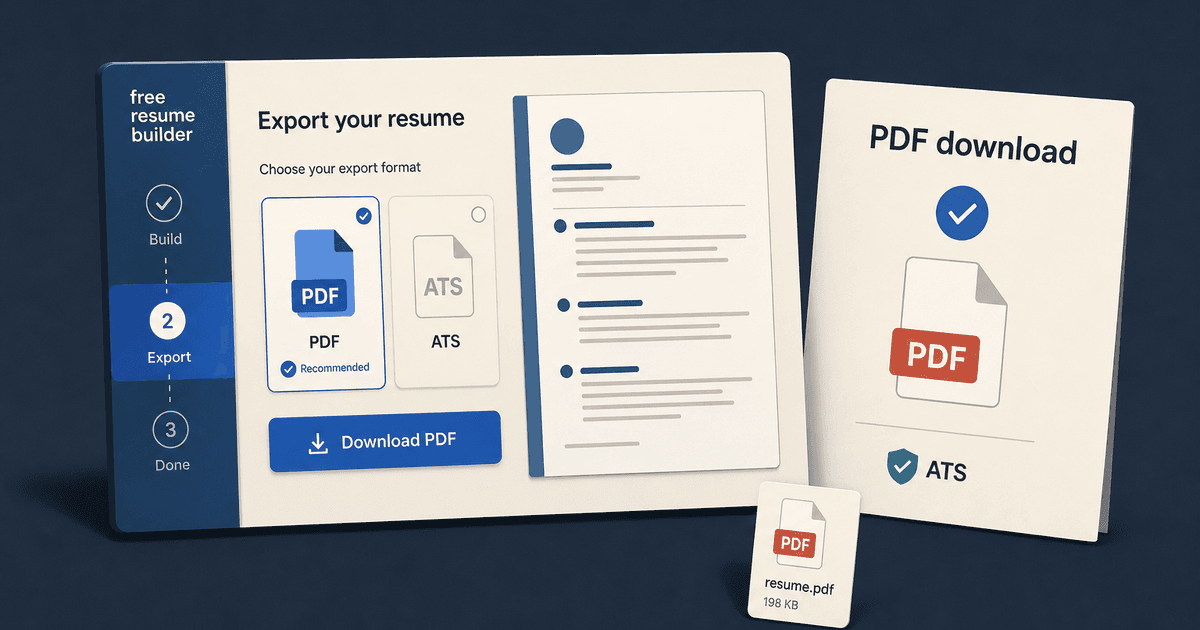
careerBy Pika Resume Team | Jul 19, 2026
Free Resume Builder and Download: Compare the Best Options
By Pika Resume Team | Jul 19, 2026
careerBy Pika Resume Team | Jul 16, 2026
Free AI Resume Builder: What It Does Well and Fails At
By Pika Resume Team | Jul 16, 2026
careerBy Pika Resume Team | Jul 13, 2026
Resume format for ATS: a simple guide that works
By Pika Resume Team | Jul 13, 2026
careerBy Pika Resume Team | Jul 12, 2026
Canva Resume Builder vs ATS Reality Check
By Pika Resume Team | Jul 12, 2026
careerBy Pika Resume Team | Jul 9, 2026
Free resume builder: what makes one worth using
By Pika Resume Team | Jul 9, 2026
careerBy Pika Resume Team | Jul 6, 2026
Resume Builder: What It Actually Does for Job Seekers
By Pika Resume Team | Jul 6, 2026
resume tipsBy Pika Resume Team | Jun 20, 2026
The Resume Sections Most People Get Wrong (and How to Fix Each One)
By Pika Resume Team | Jun 20, 2026resume tipsBy Pika Resume Team | Jun 18, 2026
How to Edit a PDF Resume Without Wrecking the Formatting
By Pika Resume Team | Jun 18, 2026resume reviewBy Pika Resume Team | Jun 16, 2026
AI Resume Feedback vs a Human Expert Review: When Each Is Worth It
By Pika Resume Team | Jun 16, 2026atsBy Pika Resume Team | Jun 14, 2026
What an ATS Actually Does to Your Resume (and the 8 Things It Scores)
By Pika Resume Team | Jun 14, 2026resume tipsBy Pika Resume Team | Jun 12, 2026
How to Tailor Your Resume to a Job Description in 2026 (the 3-Pass Method)
By Pika Resume Team | Jun 12, 2026resumeBy Gargi Chaudhari | May 30, 2026
Resume vs Biodata vs CV: Which One Do You Actually Need?
By Gargi Chaudhari | May 30, 2026resume By Astha Narang | May 28, 2026
10 Software Engineer Resume Examples That Got Interviews (2026)
By Astha Narang | May 28, 2026resumeBy Gargi Chaudhari | May 26, 2026
How to Convert a LinkedIn Profile to a Resume or CV
By Gargi Chaudhari | May 26, 2026resumeBy Astha Narang | May 23, 2026
Best Resume Format for Indian IT Services Companies (TCS, Infosys, Wipro, Accenture)
By Astha Narang | May 23, 2026resumeBy Gargi Chaudhari | May 21, 2026
The Complete Guide to ATS Resume Screening in India (2026)
By Gargi Chaudhari | May 21, 2026resumeBy Astha Narang | May 19, 2026
Hobbies and Interests for Resume: Should You Include Them?
By Astha Narang | May 19, 2026resumeBy Gargi Chaudhari | May 14, 2026
How to Write a Resume Headline That Gets Recruiter Calls on Naukri
By Gargi Chaudhari | May 14, 2026interviewBy Astha Narang | May 8, 2026
Decoding Interviewer Psychology: What They Don't Tell You for Your Next Job
By Astha Narang | May 8, 2026resumeBy Gargi Chaudhari | May 7, 2026
Career Objective for Resume: 50+ Fresher Examples (2026)
By Gargi Chaudhari | May 7, 2026resumeBy Astha Narang | May 6, 2026
7 Dangerous ATS Myths Debunked: What Actually Gets You Hired in 2026
By Astha Narang | May 6, 2026resumeBy Astha Narang | May 4, 2026
Master Your Resume: The Ultimate Guide to Listing Computer Skills
By Astha Narang | May 4, 2026resumeBy Astha Narang | Apr 29, 2026
4 Sales Resume Examples for SDR, Account Executive & Manager (2026)
By Astha Narang | Apr 29, 2026resumeBy Astha Narang | Apr 29, 2026
4 Data Analyst Resume Examples for 2026 (Entry-Level to Senior)
By Astha Narang | Apr 29, 2026resumeBy Astha Narang | Apr 24, 2026
Resume Tips for 2026: The Ultimate Guide to Landing Interviews
By Astha Narang | Apr 24, 2026resumeBy Astha Narang | Apr 22, 2026
Bad Resume vs. Good Resume: A Side-by-Side Comparison for Job Seekers
By Astha Narang | Apr 22, 2026resumeBy Astha Narang | Apr 20, 2026
How to Add LinkedIn to Your Resume the Right Way in 2026
By Astha Narang | Apr 20, 2026resumeBy Astha Narang | Apr 17, 2026
7 Common Resume Mistakes to Avoid in 2026 (and How to Fix Them)
By Astha Narang | Apr 17, 2026resumeBy Pika Resume Team | Apr 15, 2026
Master Your LinkedIn-to-Resume Link: A 2026 Guide for Top Candidates
By Pika Resume Team | Apr 15, 2026resumeBy Astha Narang | Apr 13, 2026
How to Write a Winning Resume Summary That Grabs Recruiter Attention
By Astha Narang | Apr 13, 2026careerBy Astha Narang | Apr 11, 2026
Owning Your Career Break: How to Frame a Gap Year on Your Resume in 2026
By Astha Narang | Apr 11, 2026resumeBy Astha Narang | Apr 8, 2026
The Complete 2026 Resume Guide: Crafting a Job-Winning Document
By Astha Narang | Apr 8, 2026resumeBy Astha Narang | Apr 4, 2026
Beat the ATS: Optimize Your Resume for Applicant Tracking Systems in 2026
By Astha Narang | Apr 4, 2026resumeBy Astha Narang | Mar 30, 2026
Expert Resume Review: Is It Worth the Investment for Your Career?
By Astha Narang | Mar 30, 2026resumeBy Astha Narang | Mar 25, 2026
Master the 30-Second Resume Scan: Expert & Recruiter Insights
By Astha Narang | Mar 25, 2026resumeBy Astha Narang | Mar 24, 2026
How to Explain Employment Gaps on Your Resume & Ace Interviews
By Astha Narang | Mar 24, 2026resumeBy Astha Narang | Mar 20, 2026
Master Resume Keywords: Your Guide to ATS Success
By Astha Narang | Mar 20, 2026careerBy Astha Narang | Mar 18, 2026
How to Stand Out in Interviews While Still Being Authentic
By Astha Narang | Mar 18, 2026careerBy Astha Narang | Mar 14, 2026
Why Sending the Same Resume to Every Job is Costing You Interviews
By Astha Narang | Mar 14, 2026resumeBy Astha Narang | Mar 12, 2026
The Dynamic Duo: Why AI + Human Expertise is the 2026 Career Cheat Code
By Astha Narang | Mar 12, 2026careerBy Astha Narang | Mar 9, 2026
Get Your Resume Roasted Using PIKA AI
By Astha Narang | Mar 9, 2026jobBy Astha Narang | Mar 7, 2026
How to Show a Promotion on Your Resume? (And Why Most People Get It Wrong)
By Astha Narang | Mar 7, 2026careerBy Astha Narang | Mar 6, 2026
Should You Put Your Address on Your Resume in 2026?
By Astha Narang | Mar 6, 2026careerBy Astha Narang | Mar 3, 2026
Is It Illegal to Lie on a Resume? What Actually Happens in 2026
By Astha Narang | Mar 3, 2026jobBy Pika Resume Team | Feb 5, 2026
How to Optimize Your Resume for Remote Job Applications
By Pika Resume Team | Feb 5, 2026interviewBy Pika Resume Team | Feb 1, 2026
How to Write an ATS-Friendly Resume in 2026
By Pika Resume Team | Feb 1, 2026cover-letterBy Pika Resume Team | Jan 25, 2026
Top 7 Cover Letter Mistakes That Cost You the Interview
By Pika Resume Team | Jan 25, 2026resumeBy Pika Resume Team | Jan 18, 2026
AI Resume Builders: A Complete Guide for Job Seekers in 2026
By Pika Resume Team | Jan 18, 2026jobBy Pika Resume Team | Jan 10, 2026
Resume Tips for Career Changers: Making a Smooth Transition
By Pika Resume Team | Jan 10, 2026careerBy Pika Resume Team | Jan 3, 2026
The Power of Keywords in Your Resume: An SEO Approach to Job Applications
By Pika Resume Team | Jan 3, 2026