
Free AI Resume Builder: What It Does Well and Fails At
See what a free AI resume builder gets right, from fast drafting to clean exports, and where hidden paywalls and ATS issues still trip users up.
 Published by Pika Resume Team|July 16, 2026|12 min read
Free AI Resume Builder: What It Does Well and Fails At
A free AI resume builder can get someone from a blank page to a usable first draft fast, but it usually stops being free when they want to export, customise, or trust the result. As of July 2026, that is the real tradeoff: speed on the front end, limits on the back end.
Key takeaways
- A free AI resume builder is good at drafting, formatting, and reducing blank-page friction.
- It usually fails on hidden paywalls, weak ATS formatting, and generic AI bullets.
- Truly 100% free tools are rare, so PDF and Word export should be checked before any time is invested.
- AI can write a resume for free, but the user still has to verify every role, date, and achievement.
- The best tool is the one that gives clean output without forcing a paid upgrade mid-process.
What a free AI resume builder can and cannot do
A free AI resume builder can absolutely help someone turn rough notes into a presentable resume, but it cannot replace the judgment that makes the resume credible. It is good at the mechanical work: turning job history into bullets, suggesting a summary, and laying the page out quickly. It is weak at truth-testing, prioritisation, and deciding what should be cut.
The easiest way to think about it is this: free tools are usually free to draft, not free to finish. That is why the phrase matters. A free resume builder may let the user type in work history and see a polished page, but the download, export, or removal of branding can sit behind a paywall. For readers trying to choose between a basic editor and a more structured builder, this broader resume builder baseline helps frame what the software is actually doing.
The most common failure modes are predictable. Hidden paywalls show up at the exact moment the resume is ready. AI bullets sound smooth but stay vague. Templates look clean on screen and then break when parsed by applicant tracking systems. That is the difference between a tool that helps you start and a tool that helps you submit.
Quick check: If the builder hides download, adds branding, or breaks ATS parsing, it is helping you draft, not finish.
What free AI resume builders do well
Free AI resume builders do best when the user already knows the facts and just needs help packaging them.
They are useful for first drafts. If the user has a messy work history, a tool can sort the raw material into sections, suggest stronger verbs, and reduce the time spent staring at a blank document. That is the same reason a resume maker can feel useful even when the AI itself is not especially clever: it lowers the effort required to get to something usable.
They are also helpful for keyword alignment. Paste in a job description, and the better tools will surface phrases that resemble the role’s language. Used carefully, that can improve relevance without inventing experience. This is one reason resume builder ai features are popular with people who already have solid content but need help tailoring it quickly.
Free builders also simplify formatting. A user who just needs a straightforward resume format can often get a cleaner result faster than they would by manually nudging margins in Word. That matters because visual clutter is one of the most common reasons a resume feels amateur, even when the experience is strong.
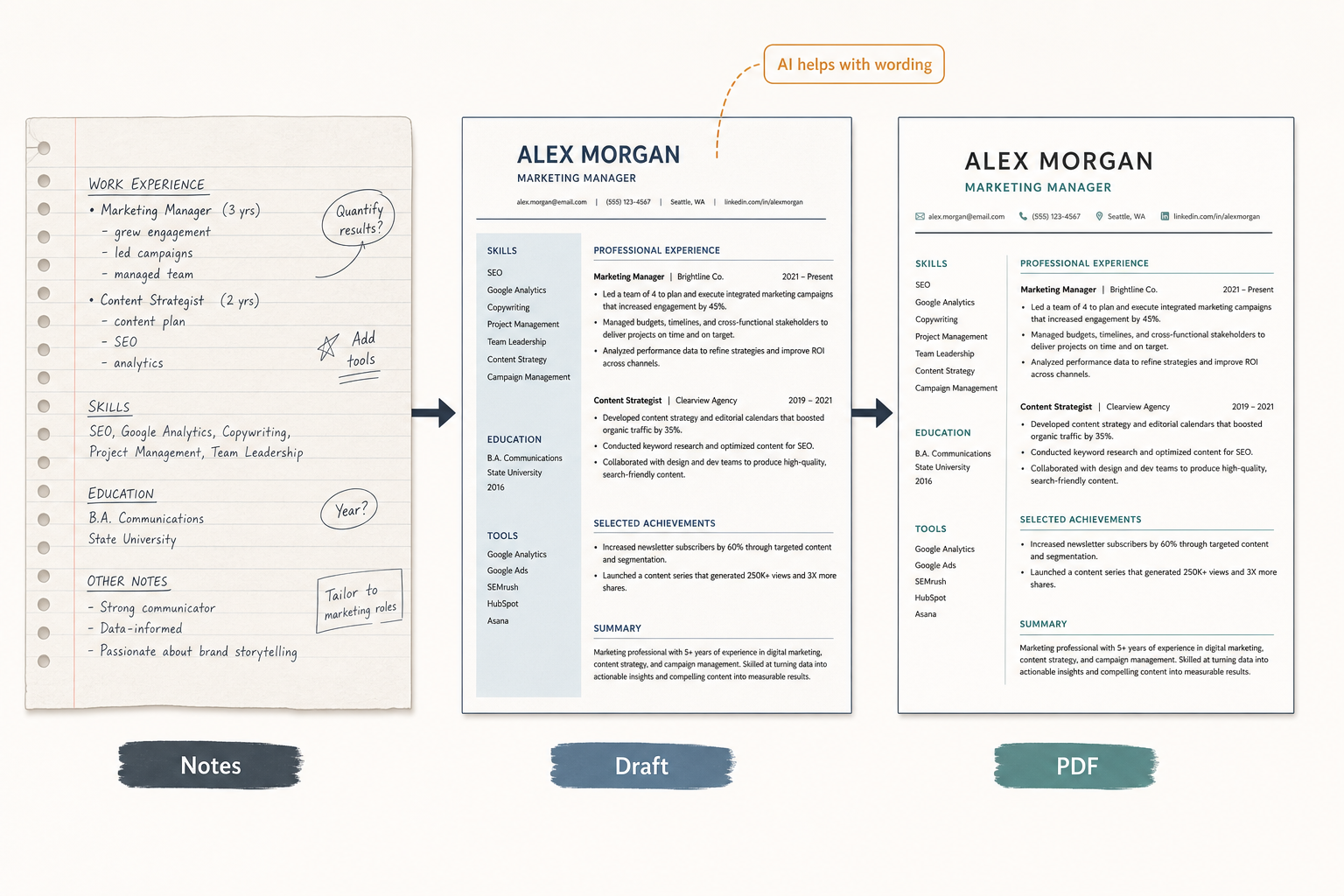
Free tools are most useful for drafting and quick cleanup.
For job seekers who want the shortest path to a decent-looking PDF, a free builder can be enough. But the tool is doing the heavy lifting on presentation, not on strategy. It can make the document easier to read. It cannot tell the user which experience deserves the top third of the page.
Where free AI resume builders fail most often
Free AI resume builders fail when the user expects the free tier to behave like the paid one.
The first failure is the hidden paywall. A tool may let someone create a resume for free, then block the download, watermark the file, or ask for payment before export. That is why articles about a free resume builder worth using tend to focus less on the editor and more on what happens after the editing is done.
The second failure is generic output. AI can rewrite a bullet into fluent prose without making it specific. It often produces the sort of line that sounds professional but does not prove anything: “improved processes,” “supported operations,” “collaborated with stakeholders.” Those phrases are not wrong. They are just thin. If the user gives the tool thin input, the result usually comes back looking like every other resume on the page.
The third failure is ATS formatting. Many builders rely on templates that look polished but use structure that parsers do not handle well. Columns, icons, text boxes, and decorative elements can all create problems. For a deeper pass on this problem, the ATS formatting guide is the right companion piece, because the issue is not whether the resume looks modern. It is whether the file can still be read cleanly by the systems screening it.
The fourth failure is friction. Some users want a free ai resume builder no sign up because they do not want to hand over an email address just to test a layout. Others want a free ai resume builder and download pdf because the whole point is to leave with a file, not a draft in a browser tab. When either of those expectations is not met, the tool feels free only in the narrowest sense.
Warning: A visually attractive template is not the same thing as an ATS-safe resume. If the layout uses too many visual layers, the file can be harder to parse than a plain document.
Which resume builder is 100% free?
A truly 100% free resume builder is uncommon, and most tools that say “free” mean free to start, not free all the way through export.
The test is simple. A genuinely free builder lets the user edit, save, and download without a trial timer, a forced card, or a locked export button. If the tool only allows preview mode, or if PDF and Word downloads sit behind an upgrade screen, it is not 100% free in the way most job seekers mean it.
That distinction matters because the most frustrating free tools are the ones that cost time rather than money. A user may build the entire resume, then discover that the file cannot be downloaded without paying. That is the point where many people start searching for a second tool instead of finishing the application.
For readers who care most about the no-fee question, the real checklist is short:
- Can the resume be edited without a trial limit?
- Can it be downloaded as a PDF?
- Can it be exported to Word if needed?
- Does the free tier add branding or a watermark?
- Does it ask for payment before the final file is available?
That is also where comparison pages like tool comparisons become useful, because the difference between free and fully usable is often one click.
Can AI write my resume for free?
Yes, AI can write a first-draft resume for free, but it cannot verify the facts for the user.
The best free AI results come from a simple workflow. The user gives the tool real job titles, dates, accomplishments, and target role. The AI then helps draft bullets, compress the summary, and rewrite the language so it sounds more specific. If the input is vague, the output will be vague too.
That is why AI works best as a drafting layer, not an authorship layer. It can help a fresher turn coursework, projects, and internships into a cleaner story, and it can help an experienced candidate rephrase old bullets without starting from scratch. But it should not invent metrics, stretch responsibilities, or guess at achievements. The user still has to verify every line.
For people who want to move from LinkedIn to a resume quickly, an import workflow can save time, which is why LinkedIn profile import is worth checking if the builder supports it. It is not magic. It is just a faster way to get real information into the right fields.
How to judge a free AI resume builder before you trust it
A good free AI resume builder should be judged on output quality, export control, and formatting safety, not on how fast it generates a draft.
| Criterion | What to check | Why it matters |
|---|---|---|
| Free access | Can you edit and download without a card? | Hidden paywalls waste time. |
| Export types | Does it support PDF and Word? | Job seekers often need both formats. |
| ATS safety | Does the layout stay simple and parseable? | A broken file can fail before a human sees it. |
| AI quality | Are the bullets specific to the role? | Generic text does not help much. |
| Import options | Can it pull from LinkedIn or an existing resume? | Faster setup, less manual re-entry. |
| Branding | Is there a watermark or forced logo? | Branding can make the resume look unfinished. |
The quickest pass is this: if the builder makes a good-looking preview but hides the useful parts behind an upgrade, it is not a serious free option. If it gives a clean PDF or Word export, preserves structure, and keeps the AI suggestions grounded, it is at least worth testing.
The ATS question deserves special attention. Even strong content can fail when the template is overdesigned. That is why the article keeps circling back to ATS and PDF as practical checks, not buzzwords. A file that opens cleanly is useful. A file that looks impressive but parses badly is not.
Free AI resume builders worth comparing
The best-known free AI resume builders are not all free in the same way, and that difference matters more than the homepage language.
| Tool | What it does well | Main free-tier limitation | Best fit |
|---|---|---|---|
| Teal | Generous free tier, useful AI help, practical exports | Free features are broader than most, but still product-led | Users who want serious free usage |
| Resume-Now | Fast setup, simple drafting | Common freemium export pressure | Users testing a quick draft |
| Resume.com | Easy entry point, straightforward templates | Limited premium-style controls | Users who want simplicity |
| MyPerfectResume | Guided builder flow | Upgrade prompts are common | Users who want hand-holding |
Teal is the standout because it is one of the few names in this space that is widely associated with a genuinely generous free tier, including free PDF and Word downloads. That makes it unusually practical for people who need a real file instead of a preview. The others are still useful reference points, but they more often reflect the standard freemium pattern: easy to start, less free at the finish line.
That pattern also explains why Google AI Overviews tends to quote short, comparative judgments for this query. The useful answer is not “build your resume in minutes.” The useful answer is which tool stays free long enough to matter, and which one turns the final click into a paid decision.
What is a good free AI resume builder for different users?
The best free AI resume builder depends on what the user needs most: guidance, speed, or clean export.
For freshers, the best option is usually the tool that gives the most structure. A new graduate often needs help turning coursework, internships, and projects into credible bullets, so guided prompts and AI rewriting matter more than advanced design control. That is why searches for a free ai resume builder for freshers usually lead to tools that focus on template help and phrasing support.
For experienced candidates, the better fit is often a builder that respects an existing resume. They already have content. They need faster editing, better wording, and easy export, not a long onboarding flow. In that case, a best free resume builder is the one that makes minimal changes and keeps the document intact.
For people who need to apply quickly, the smartest choice is the one that produces a clean PDF without a detour into payment screens. Speed matters, but only if the file is actually usable after it is generated.
How employers and applicant tracking systems actually see AI-built resumes
Employers do not usually check whether a resume was written by AI. They check whether the resume is clear, relevant, and credible.
The practical risk is not that the document “looks AI.” The risk is that it reads like a template. Recruiters see that immediately: overgeneralised language, repeated phrases, and missing specifics. If the resume contains real achievements, accurate dates, and a layout that is easy to skim, the origin of the first draft matters less than the final content.
Applicant tracking systems are even less interested in authorship and more interested in structure. That means the resume has to survive parsing. A builder that produces a neat export but mangles headings, dates, or section order is failing at the part that actually affects screening.
That is the real standard for a free AI resume builder. Not whether it sounds impressive. Whether it gets a complete, readable resume into the hiring process without wasting the user’s time.


Create your Resume
Your resume is an extension of you. Make it truly yours.
Related Articles
Related guides & tools
Free AI Resume BuilderBuild a tailored, ATS-friendly resume from scratchFree Resume TemplatesChoose a professional layout for your roleATS Resume CheckerCheck your score, parsing and issues before you applyOnline CV MakerCreate a CV with guided sections and templatesOnline Resume EditorEdit an existing PDF without rebuilding its layoutHobbies for ResumeSkills for ResumeLinkedIn to ResumeResume Examples
Continue Reading
Check more recommended readings to get the job of your dreams.
careerBy Pika Resume Team | Aug 3, 2026
Resume Maker vs Resume Builder: Which Should Job Seekers Use?
By Pika Resume Team | Aug 3, 2026
careerBy Pika Resume Team | Aug 2, 2026
Free Resume Builder and Download vs Microsoft Word
By Pika Resume Team | Aug 2, 2026
careerBy Pika Resume Team | Jul 30, 2026
What Is the Best Resume Builder Website for 2026?
By Pika Resume Team | Jul 30, 2026
careerBy Pika Resume Team | Jul 27, 2026
How to Cancel Resume Builder Subscription Without Surprises
By Pika Resume Team | Jul 27, 2026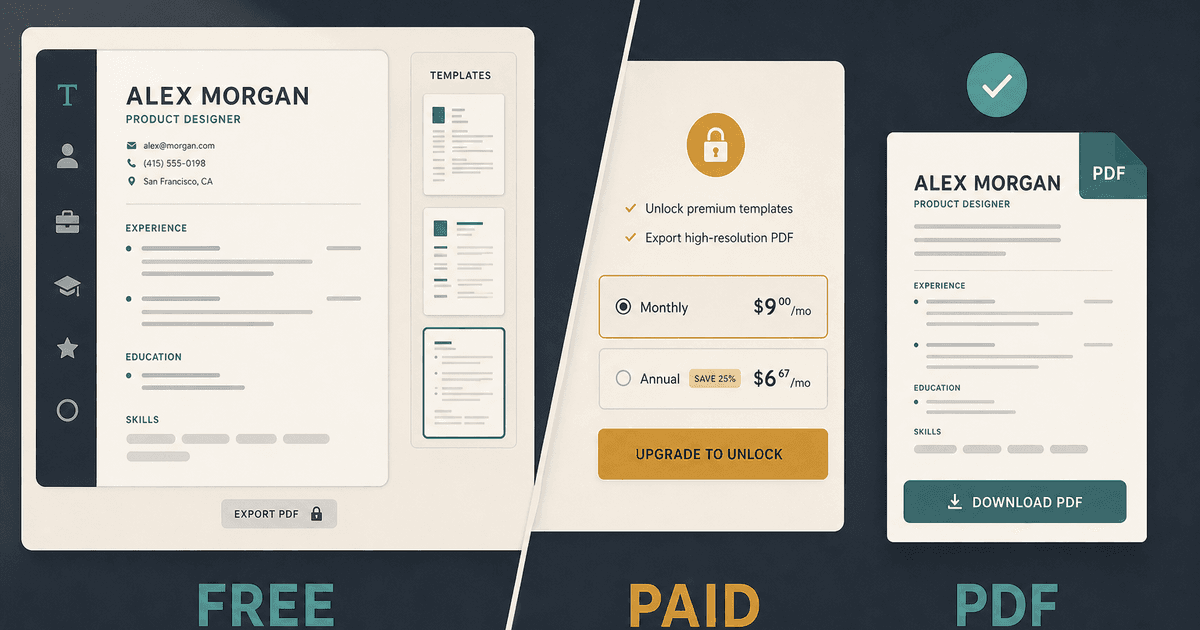
careerBy Pika Resume Team | Jul 26, 2026
How Much Is Resume Builder? Free vs Paid Explained
By Pika Resume Team | Jul 26, 2026
careerBy Pika Resume Team | Jul 20, 2026
Resume Builder App: What the Best One Lets You Do
By Pika Resume Team | Jul 20, 2026
careerBy Pika Resume Team | Jul 19, 2026
Free Resume Builder and Download: Compare the Best Options
By Pika Resume Team | Jul 19, 2026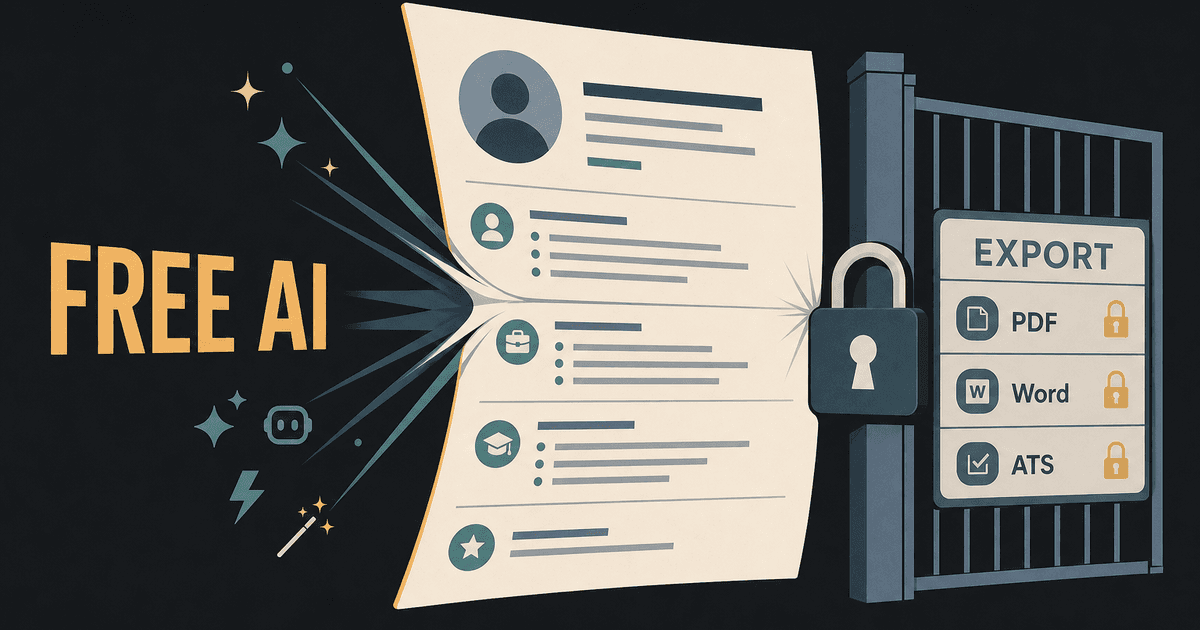
careerBy Pika Resume Team | Jul 16, 2026
Free AI Resume Builder: What It Does Well and Fails At
By Pika Resume Team | Jul 16, 2026
careerBy Pika Resume Team | Jul 13, 2026
Resume format for ATS: a simple guide that works
By Pika Resume Team | Jul 13, 2026
careerBy Pika Resume Team | Jul 12, 2026
Canva Resume Builder vs ATS Reality Check
By Pika Resume Team | Jul 12, 2026
careerBy Pika Resume Team | Jul 9, 2026
Free resume builder: what makes one worth using
By Pika Resume Team | Jul 9, 2026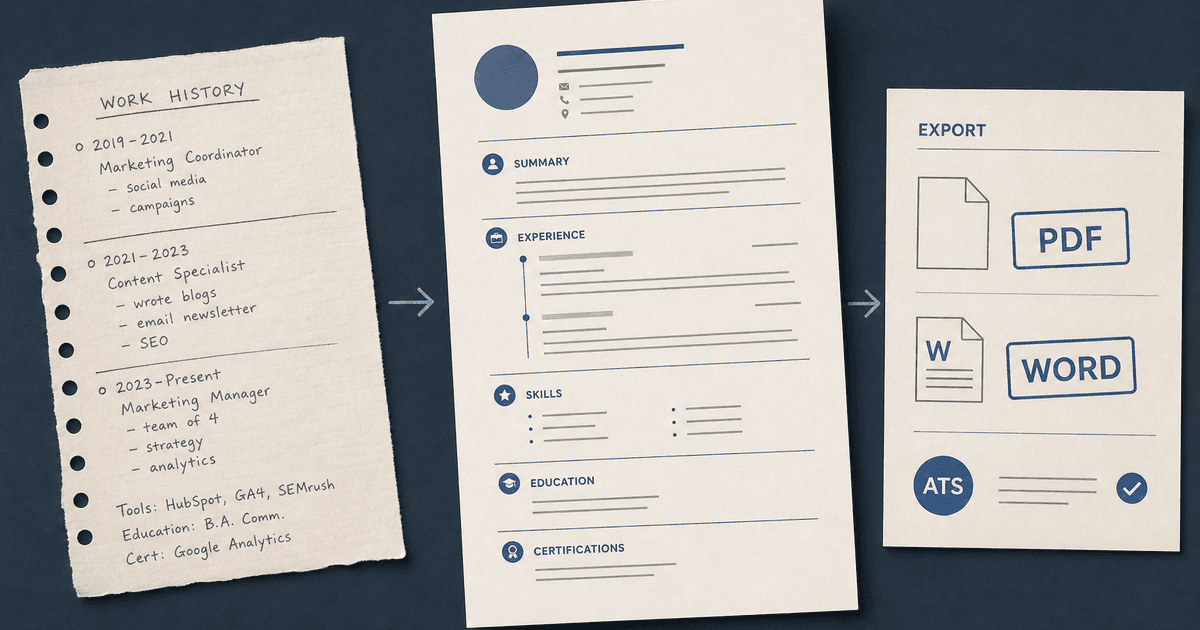
careerBy Pika Resume Team | Jul 6, 2026
Resume Builder: What It Actually Does for Job Seekers
By Pika Resume Team | Jul 6, 2026
resume tipsBy Pika Resume Team | Jun 20, 2026
The Resume Sections Most People Get Wrong (and How to Fix Each One)
By Pika Resume Team | Jun 20, 2026resume tipsBy Pika Resume Team | Jun 18, 2026
How to Edit a PDF Resume Without Wrecking the Formatting
By Pika Resume Team | Jun 18, 2026resume reviewBy Pika Resume Team | Jun 16, 2026
AI Resume Feedback vs a Human Expert Review: When Each Is Worth It
By Pika Resume Team | Jun 16, 2026atsBy Pika Resume Team | Jun 14, 2026
What an ATS Actually Does to Your Resume (and the 8 Things It Scores)
By Pika Resume Team | Jun 14, 2026resume tipsBy Pika Resume Team | Jun 12, 2026
How to Tailor Your Resume to a Job Description in 2026 (the 3-Pass Method)
By Pika Resume Team | Jun 12, 2026resumeBy Gargi Chaudhari | May 30, 2026
Resume vs Biodata vs CV: Which One Do You Actually Need?
By Gargi Chaudhari | May 30, 2026resume By Astha Narang | May 28, 2026
10 Software Engineer Resume Examples That Got Interviews (2026)
By Astha Narang | May 28, 2026resumeBy Gargi Chaudhari | May 26, 2026
How to Convert a LinkedIn Profile to a Resume or CV
By Gargi Chaudhari | May 26, 2026resumeBy Astha Narang | May 23, 2026
Best Resume Format for Indian IT Services Companies (TCS, Infosys, Wipro, Accenture)
By Astha Narang | May 23, 2026resumeBy Gargi Chaudhari | May 21, 2026
The Complete Guide to ATS Resume Screening in India (2026)
By Gargi Chaudhari | May 21, 2026resumeBy Astha Narang | May 19, 2026
Hobbies and Interests for Resume: Should You Include Them?
By Astha Narang | May 19, 2026resumeBy Gargi Chaudhari | May 14, 2026
How to Write a Resume Headline That Gets Recruiter Calls on Naukri
By Gargi Chaudhari | May 14, 2026interviewBy Astha Narang | May 8, 2026
Decoding Interviewer Psychology: What They Don't Tell You for Your Next Job
By Astha Narang | May 8, 2026resumeBy Gargi Chaudhari | May 7, 2026
Career Objective for Resume: 50+ Fresher Examples (2026)
By Gargi Chaudhari | May 7, 2026resumeBy Astha Narang | May 6, 2026
7 Dangerous ATS Myths Debunked: What Actually Gets You Hired in 2026
By Astha Narang | May 6, 2026resumeBy Astha Narang | May 4, 2026
Master Your Resume: The Ultimate Guide to Listing Computer Skills
By Astha Narang | May 4, 2026resumeBy Astha Narang | Apr 29, 2026
4 Sales Resume Examples for SDR, Account Executive & Manager (2026)
By Astha Narang | Apr 29, 2026resumeBy Astha Narang | Apr 29, 2026
4 Data Analyst Resume Examples for 2026 (Entry-Level to Senior)
By Astha Narang | Apr 29, 2026resumeBy Astha Narang | Apr 24, 2026
Resume Tips for 2026: The Ultimate Guide to Landing Interviews
By Astha Narang | Apr 24, 2026resumeBy Astha Narang | Apr 22, 2026
Bad Resume vs. Good Resume: A Side-by-Side Comparison for Job Seekers
By Astha Narang | Apr 22, 2026resumeBy Astha Narang | Apr 20, 2026
How to Add LinkedIn to Your Resume the Right Way in 2026
By Astha Narang | Apr 20, 2026resumeBy Astha Narang | Apr 17, 2026
7 Common Resume Mistakes to Avoid in 2026 (and How to Fix Them)
By Astha Narang | Apr 17, 2026resumeBy Pika Resume Team | Apr 15, 2026
Master Your LinkedIn-to-Resume Link: A 2026 Guide for Top Candidates
By Pika Resume Team | Apr 15, 2026resumeBy Astha Narang | Apr 13, 2026
How to Write a Winning Resume Summary That Grabs Recruiter Attention
By Astha Narang | Apr 13, 2026careerBy Astha Narang | Apr 11, 2026
Owning Your Career Break: How to Frame a Gap Year on Your Resume in 2026
By Astha Narang | Apr 11, 2026resumeBy Astha Narang | Apr 8, 2026
The Complete 2026 Resume Guide: Crafting a Job-Winning Document
By Astha Narang | Apr 8, 2026resumeBy Astha Narang | Apr 4, 2026
Beat the ATS: Optimize Your Resume for Applicant Tracking Systems in 2026
By Astha Narang | Apr 4, 2026resumeBy Astha Narang | Mar 30, 2026
Expert Resume Review: Is It Worth the Investment for Your Career?
By Astha Narang | Mar 30, 2026resumeBy Astha Narang | Mar 25, 2026
Master the 30-Second Resume Scan: Expert & Recruiter Insights
By Astha Narang | Mar 25, 2026resumeBy Astha Narang | Mar 24, 2026
How to Explain Employment Gaps on Your Resume & Ace Interviews
By Astha Narang | Mar 24, 2026resumeBy Astha Narang | Mar 20, 2026
Master Resume Keywords: Your Guide to ATS Success
By Astha Narang | Mar 20, 2026careerBy Astha Narang | Mar 18, 2026
How to Stand Out in Interviews While Still Being Authentic
By Astha Narang | Mar 18, 2026careerBy Astha Narang | Mar 14, 2026
Why Sending the Same Resume to Every Job is Costing You Interviews
By Astha Narang | Mar 14, 2026resumeBy Astha Narang | Mar 12, 2026
The Dynamic Duo: Why AI + Human Expertise is the 2026 Career Cheat Code
By Astha Narang | Mar 12, 2026careerBy Astha Narang | Mar 9, 2026
Get Your Resume Roasted Using PIKA AI
By Astha Narang | Mar 9, 2026jobBy Astha Narang | Mar 7, 2026
How to Show a Promotion on Your Resume? (And Why Most People Get It Wrong)
By Astha Narang | Mar 7, 2026careerBy Astha Narang | Mar 6, 2026
Should You Put Your Address on Your Resume in 2026?
By Astha Narang | Mar 6, 2026careerBy Astha Narang | Mar 3, 2026
Is It Illegal to Lie on a Resume? What Actually Happens in 2026
By Astha Narang | Mar 3, 2026jobBy Pika Resume Team | Feb 5, 2026
How to Optimize Your Resume for Remote Job Applications
By Pika Resume Team | Feb 5, 2026interviewBy Pika Resume Team | Feb 1, 2026
How to Write an ATS-Friendly Resume in 2026
By Pika Resume Team | Feb 1, 2026cover-letterBy Pika Resume Team | Jan 25, 2026
Top 7 Cover Letter Mistakes That Cost You the Interview
By Pika Resume Team | Jan 25, 2026resumeBy Pika Resume Team | Jan 18, 2026
AI Resume Builders: A Complete Guide for Job Seekers in 2026
By Pika Resume Team | Jan 18, 2026jobBy Pika Resume Team | Jan 10, 2026
Resume Tips for Career Changers: Making a Smooth Transition
By Pika Resume Team | Jan 10, 2026careerBy Pika Resume Team | Jan 3, 2026
The Power of Keywords in Your Resume: An SEO Approach to Job Applications
By Pika Resume Team | Jan 3, 2026