Master Your Resume: The Ultimate Guide to Listing Computer Skills
Learn how to list computer skills on your resume in 2026. Get a complete list, organized by category, with expert phrasing to impress recruiters and ATS.
 Published by Astha Narang|May 4, 2026|26 min read
Computer Skills for Resume: Complete List with Examples
The full guide to listing computer skills on a resume in 2026. Every category, every example phrasing, organised by role. Plus the smart way to write them so they actually count.
Computer skills are one of the trickiest sections to get right on a modern resume. They're easy to write badly. Half the resumes recruiters open still list "Microsoft Word, Excel, PowerPoint" as if it's 2015. The other half list 30 tools with no structure, hoping volume substitutes for relevance. Neither approach works.
What works is a focused, organised list of computer skills that match the role you're applying for, written specifically enough that a hiring manager and an ATS can both verify them. That's the version this guide is built around. A complete list of computer skills for your resume, sorted by category, with example phrasing for each, plus a section on how to actually pick the right ones for your role.
If you're updating your resume this year, this is the reference to keep open in another tab.
Key Stats
| Stat | What it means |
|---|---|
| 75% | Resumes filtered out by ATS before any human sees them |
| 8 to 12 | Ideal number of computer skills for a focused resume section |
| 6 seconds | Average time a recruiter spends scanning the skills section |
| 3 in 4 | Recruiters now check for at least one named AI tool, even in non-tech roles |
What's inside this guide
- What Counts as a Computer Skill on a Resume
- How to List Computer Skills on a Resume
- Weak Phrasing vs Strong Phrasing
- The Complete List of Computer Skills (by Category)
- Office and Productivity Software
- Operating Systems and File Management
- Communication and Collaboration Tools
- Data Analysis and Visualisation
- Programming and Development
- Design and Creative Software
- Cloud Platforms and DevOps
- Web, CMS, and Marketing Tools
- IT, Networking, and Security
- AI Tools and Workflows
- Computer Skills by Role: What to Pick
- Common Mistakes on the Computer Skills Section
- The Computer Skills Checklist
- Frequently Asked Questions
What Counts as a Computer Skill on a Resume
A computer skill is any specific software, programming language, platform, or digital methodology you can use to do work. It's a broad category, which is why most candidates either include too little (just office software) or too much (every tool they've opened once). The cleanest definition: if a hiring manager could test you on it in an interview, it's a computer skill worth listing. If they couldn't, it's filler.
The best computer skills sections share three traits. They name specific tools rather than generic categories. They're organised into 4 to 6 sub-groupings instead of one giant list. And they reflect what the target role actually uses, not just what you've touched at some point in your career.
| What it is | What it isn't |
|---|---|
| Specific named software (Salesforce, Figma, Tableau) | Generic categories ("CRM software", "design tools") |
| Programming languages and frameworks (Python, React, SQL) | "Coding" or "computer programming" on its own |
| Cloud platforms with specific services (AWS EC2, S3, Lambda) | "Cloud computing experience" without naming the platform |
| AI tools paired with a workflow ("Claude for research synthesis") | "AI tools" or "ChatGPT" without context |
| Digital methodologies (A/B Testing, Agile, SEO) | "Internet skills" or "computer literacy" (these are 2010 phrases) |
How to List Computer Skills on a Resume
Where the section sits, how it's grouped, and how each skill is phrased all matter. Here's the structure that consistently works in 2026, whether you're a fresher or a senior professional.
1. Group skills into 4 to 6 named categories
A flat list of 14 tools reads as noise. The same 14 tools split into "Programming Languages," "Cloud and DevOps," "Data Tools," and "AI" reads as expertise. Recruiters scanning the section can find what they're looking for in 2 seconds instead of 10. Group by function, not by experience level.
2. Name the tool exactly as the job posting names it
ATS keyword matching is stricter than most candidates think. "Salesforce" and "SFDC" are not the same string. "Power BI" and "PowerBI" might match in some systems and not others. "PostgreSQL" beats "Postgres" because postings use the formal name more often. Mirror the job description language exactly where possible.
3. Add proficiency level only when it adds signal
"SQL (Advanced)" works because it tells the reader you're not just basic. "Microsoft Word (Advanced)" looks slightly absurd because Word doesn't have a meaningful expert level for most jobs. Use proficiency notes for languages and complex tools. Skip them for everyday software.
4. Skip the visual ratings and progress bars
Five-star ratings, percentage bars, and similar graphics fail in ATS parsers and create more questions than they answer. What does "Python: 7 out of 10" mean to a hiring manager? Plain text with a proficiency note where useful is always cleaner.
5. Place the section based on your level
For freshers and career changers, computer skills sit right after the summary. They're carrying more of the weight. For mid-career and senior professionals, the section moves below work experience. By that point your roles speak louder than your tool list.
Weak Phrasing vs Strong Phrasing
The same person with the same skills can describe themselves in two completely different ways. One earns a callback, the other gets skipped. The difference is specificity.
🔴 Weak
Microsoft Office, Internet, Email
🟢 Strong
Excel (Pivot Tables, VLOOKUP, Power Query), Outlook, SharePoint
🔴 Weak
Programming, web development, databases
🟢 Strong
Python (Pandas, scikit-learn), SQL (Advanced), JavaScript, React
🔴 Weak
AI tools, ChatGPT
🟢 Strong
Claude (research synthesis, draft editing), GitHub Copilot (code review), ChatGPT (account research)
🔴 Weak
Design software
🟢 Strong
Figma, Adobe Illustrator, Sketch, Webflow
The Complete List of Computer Skills (by Category)
What follows is a comprehensive list of computer skills worth knowing about for your resume in 2026, organised into ten categories. You won't use all of them. Pick the ones relevant to your target role and write them in the specific phrasing shown. Each category ends with a sample resume snippet showing how to format the skills cleanly.
📄 Category 01: Office and Productivity Software
These are still relevant, especially for finance, operations, admin, and analyst roles. The trick is to list them by their specific advanced features, not just by name. Listing "Microsoft Office" is filler. Listing "Excel (Power Query, Pivot Tables, Macros)" is a real skill claim.
| Skill | Notes |
|---|---|
| Microsoft Excel | Pivot Tables, VLOOKUP, INDEX-MATCH, Power Query, Macros, VBA |
| Microsoft Word | Mostly assumed in 2026. Skip unless the role specifically requires advanced features. |
| Microsoft PowerPoint | Worth listing for consulting, sales, and exec-facing roles. Not for tech roles. |
| Google Workspace | Sheets (advanced functions, App Script), Docs, Slides, Drive, Forms |
| Microsoft Outlook | List only for admin and ops roles where mailbox management matters. |
| SharePoint | Document management and Microsoft 365 environments. Common in enterprise. |
| Microsoft Teams | Worth listing for ops, project management, and corporate roles. |
| Notion | Increasingly listed in modern startup roles. Pair with use case if relevant. |
📝 Resume snippetProductivity: Excel (Power Query, Pivot Tables, Macros), Google Sheets (App Script), PowerPoint, Notion
💻 Category 02: Operating Systems and File Management
Almost never worth a dedicated section unless you're applying for IT, systems, or developer roles where comfort across OSes is part of the job. For everyone else, your operating system fluency is assumed.
| Skill | Notes |
|---|---|
| Windows | Worth listing only for IT support and admin roles. Skip otherwise. |
| macOS | Same. Mostly assumed in tech and design. |
| Linux | Genuinely valuable for developer, devops, and infra roles. List specific distros if relevant (Ubuntu, Debian, RHEL). |
| Command Line / Bash | Worth listing for any technical role. Pair with shell scripting if you do that. |
| PowerShell | Specific to Windows admin, IT, and some security roles. |
| File systems and permissions | Useful for sysadmin and DevOps. Skip for non-IT roles. |
📝 Resume snippet (IT / DevOps role)Operating Systems: Linux (Ubuntu, RHEL), macOS, Windows Server, Bash, PowerShell
💬 Category 03: Communication and Collaboration Tools
Worth listing when collaboration is a meaningful part of the role, especially for remote-first and project management positions. List the tools you actually use, not all of them.
| Skill | Notes |
|---|---|
| Slack | Standard in modern tech and SaaS workplaces. |
| Microsoft Teams | Standard in enterprise and large corporate settings. |
| Zoom | Mostly assumed but listing it is fine for client-facing or sales roles. |
| Asana | Project management. Common in marketing, ops, and creative teams. |
| Trello | Lighter project management. Often listed for early-career roles. |
| Jira | Standard for engineering and product teams. Pair with Confluence. |
| Linear | Modern alternative to Jira, common at startups. |
| Confluence | Documentation and knowledge management for product and engineering teams. |
| Monday.com | Project management used widely in operations and HR. |
| ClickUp | Newer project management tool, common in modern remote teams. |
📝 Resume snippet (PM / Ops role)Collaboration: Asana, Notion, Slack, Zoom, Confluence, Loom
📊 Category 04: Data Analysis and Visualisation
One of the most valuable categories on a modern resume. Even non-data roles increasingly expect at least basic data fluency. Name the specific tools, and where possible add the libraries or methods you've actually used.
| Skill | Notes |
|---|---|
| SQL | List with proficiency: SQL (Advanced), SQL (Intermediate). Add specific dialects if relevant (PostgreSQL, MySQL, BigQuery). |
| Python (for analysis) | Pair with libraries: Python (Pandas, NumPy, scikit-learn, statsmodels) |
| R | More common in research, healthcare analytics, and academia. |
| Tableau | Industry-standard visualisation. Add Tableau Public if you have a portfolio. |
| Power BI | Standard in finance and enterprise analytics. |
| Looker | Common in modern data stacks. Add LookML if you're certified. |
| Mode and Hex | Modern analytics IDEs. List for data analyst and BI roles. |
| Snowflake, BigQuery, Redshift | Cloud data warehouses. List the one your stack uses. |
| dbt | Increasingly required for analytics engineering and senior data roles. |
| Excel (advanced) | Power Query, Power Pivot, INDEX-MATCH, statistical functions. |
📝 Resume snippet (Data Analyst role)Languages: SQL (Advanced), Python (Pandas, NumPy) Visualisation: Tableau, Looker, Power BI Data Stack: Snowflake, dbt, BigQuery
⌨️ Category 05: Programming and Development
For engineering roles, this is the most important category on the resume. Group languages, frameworks, databases, and developer tools separately. List specific versions or libraries where they matter.
| Skill | Notes |
|---|---|
| Python | Most flexible language across data, backend, and scripting roles. |
| JavaScript / TypeScript | Frontend, full-stack, and Node.js. List both if you use both. |
| Java | Common in enterprise backend roles. Spring framework worth pairing. |
| Go (Golang) | Backend services, infrastructure, modern startup stacks. |
| Rust | Systems programming, performance-critical work. Increasingly listed. |
| C++ and C# | Game dev, finance, and Windows-platform engineering. |
| Ruby and Ruby on Rails | Common in legacy SaaS codebases. |
| Swift / Kotlin | iOS and Android native development. |
| React, Next.js, Vue | Modern frontend frameworks. List the one you use most. |
| Node.js, Express, FastAPI | Backend frameworks. Pair with the language. |
| PostgreSQL, MongoDB, Redis | Database systems. List the ones you've actually shipped with. |
| Git, GitHub, GitLab | Version control. Always list for any technical role. |
| Docker | Containerisation. Increasingly expected for backend and DevOps roles. |
| Kubernetes | Container orchestration. List for senior backend and infra roles. |
📝 Resume snippet (Software Engineer role)Languages: Python, TypeScript, Go, SQL Frameworks: React, Next.js, FastAPI, Express Infrastructure: Docker, Kubernetes, GitHub Actions, AWS
🎨 Category 06: Design and Creative Software
Essential for design, marketing, and creative roles. List by tool name, not category. Add the specific use case (prototyping, motion, illustration) if it sharpens the signal.
| Skill | Notes |
|---|---|
| Figma | Industry-standard for UX and product design in 2026. |
| Adobe Photoshop | Photo editing, marketing visuals, retouching. |
| Adobe Illustrator | Vector design, logos, brand systems. |
| Adobe InDesign | Print and editorial design. Worth listing for publication and marketing roles. |
| Adobe Premiere Pro | Video editing for content and brand teams. |
| Adobe After Effects | Motion graphics. Increasingly listed for product and content roles. |
| Canva | Quick marketing assets. Mostly assumed but listing for non-design roles is fine. |
| Sketch | Older alternative to Figma. List if your team still uses it. |
| Webflow | No-code site builder. Increasingly listed for design and marketing roles. |
| Framer | Design-to-code for landing pages. Common in startup design teams. |
📝 Resume snippet (UX / Product Designer role)Design: Figma, Sketch, Adobe XD, Adobe Illustrator Prototyping: Figma Prototype, Framer, ProtoPie
☁️ Category 07: Cloud Platforms and DevOps
For technical roles, cloud fluency is a hiring filter. List the specific services, not just the platform. AWS alone is too vague. AWS (EC2, S3, Lambda) is what hiring managers actually search for.
| Skill | Notes |
|---|---|
| AWS | Add specific services: EC2, S3, Lambda, RDS, CloudFront, CloudWatch. |
| Google Cloud Platform (GCP) | Add: BigQuery, Cloud Functions, Cloud Storage, Pub/Sub. |
| Microsoft Azure | Common in enterprise and Microsoft-stack environments. |
| Terraform | Infrastructure-as-code. Increasingly expected for senior infra roles. |
| CI/CD pipelines | GitHub Actions, GitLab CI, Jenkins, CircleCI. |
| Monitoring and observability | Datadog, New Relic, Grafana, Prometheus, Sentry. |
| Networking basics | VPC, DNS, load balancers, firewalls. Useful for backend and platform roles. |
📝 Resume snippet (Backend / DevOps role)Cloud: AWS (EC2, S3, Lambda, RDS), Terraform, Docker, Kubernetes CI/CD and Monitoring: GitHub Actions, Datadog, Sentry
🌐 Category 08: Web, CMS, and Marketing Tools
Critical for marketing, content, and growth roles. Listing specific platforms and the methodologies you use them for separates a generalist from someone with real chops.
| Skill | Notes |
|---|---|
| WordPress | Still the most-used CMS globally. Worth listing for content and marketing roles. |
| Webflow | Modern no-code site builder, common in startup marketing teams. |
| Shopify | Essential for D2C and e-commerce marketing roles. |
| HubSpot | Marketing automation, CRM, and content tools combined. |
| Salesforce | Standard CRM. Often paired with Marketing Cloud or Sales Cloud. |
| Mailchimp / Klaviyo | Email marketing. Klaviyo is more common for D2C, Mailchimp for SMB. |
| Google Analytics 4 | Standard web analytics. Add GA4 specifically since the migration matters. |
| Google Tag Manager | Worth listing for marketers who handle their own tracking setup. |
| SEMrush, Ahrefs | SEO tools. Essential for content and SEO marketing roles. |
| Meta Ads Manager, Google Ads | Paid acquisition platforms. Add specific campaign types if relevant. |
| HTML and CSS | Worth listing for marketers and designers who do their own implementation. |
📝 Resume snippet (Marketing role)Marketing Stack: HubSpot, Klaviyo, Webflow, Google Analytics 4, SEMrush Paid: Meta Ads Manager, Google Ads, LinkedIn Ads
🔒 Category 09: IT, Networking, and Security
Specialised category, but if you're applying for IT, support, sysadmin, or security roles, this is the section that does the heavy lifting. Be specific. "Networking" alone tells the recruiter nothing.
| Skill | Notes |
|---|---|
| Active Directory | User and access management in Windows environments. |
| VPN and firewall configuration | Standard for IT and security operations roles. |
| Networking fundamentals | TCP/IP, DNS, DHCP, subnetting. List by name, not just "networking". |
| Endpoint security | CrowdStrike, Microsoft Defender, SentinelOne. |
| SIEM tools | Splunk, Sumo Logic, Microsoft Sentinel for security monitoring. |
| Vulnerability scanning | Nessus, Qualys, OpenVAS for risk assessment. |
| Compliance frameworks | SOC 2, ISO 27001, GDPR, HIPAA. Worth listing for security and audit roles. |
| Help desk software | Zendesk, Freshdesk, ServiceNow for IT support roles. |
📝 Resume snippet (IT / Security role)Networking: TCP/IP, DNS, VPN, Firewall configuration, Active Directory Security: CrowdStrike, Splunk, SOC 2 compliance, Vulnerability scanning
🤖 Category 10: AI Tools and Workflows
New as a resume category, but increasingly expected across almost every knowledge role. The trick is to name specific tools paired with specific workflows. "AI tools" on its own is filler. "Claude for research synthesis" is a real claim.
| Skill | Notes |
|---|---|
| Claude | Pair with use case: research synthesis, document drafting, coding workflows. |
| ChatGPT | Same. Specify the workflow you actually use it for. |
| GitHub Copilot | For developers. Now standard at most modern engineering teams. |
| Claude Code | Agentic coding. Worth listing if you genuinely use it for refactors and feature work. |
| Cursor | AI-first code editor. Common at startup engineering teams. |
| Midjourney, DALL-E | AI image generation. Worth listing for marketing, design, and content roles. |
| Runway | AI video tools. Common in content and marketing roles. |
| Perplexity | Research workflows. Worth listing for analyst and research roles. |
| Jasper | Marketing-specific AI. List for content marketing and SEO roles. |
| Gong AI | Sales call analysis. Worth listing for sales and CS roles. |
| LangChain | Building applications on LLMs. Genuinely technical, list with care. |
📝 Resume snippet (AI Tools section)AI Tools: Claude (research synthesis, drafting), GitHub Copilot (code review), Midjourney (creative briefs)
Computer Skills by Role: What to Pick
You don't need every skill listed above. You need the 8 to 12 that match your target role. Here's a quick reference for the most common roles, showing which categories matter most and which to skip.
💻 Software Engineer
Lead with: Programming Languages, Frameworks, Databases, Cloud and DevOps, AI Tools.
Skip: Office software (assumed), generic OS listings.
Example skills: Python, TypeScript, React, Node.js, PostgreSQL, AWS (EC2, S3, Lambda), Docker, GitHub Copilot.
📊 Data Analyst
Lead with: Data Analysis tools, Programming (SQL, Python), Visualisation, Data Stack, AI Tools.
Skip: Office software unless Excel is explicitly part of the role.
Example skills: SQL (Advanced), Python (Pandas), Tableau, Looker, Snowflake, dbt, Excel (Power Query), Claude for analysis writing.
📣 Marketing Manager
Lead with: Web/CMS/Marketing tools, Data Analysis basics, AI Tools, Design (basic).
Skip: Programming languages unless you genuinely code.
Example skills: HubSpot, Webflow, Google Analytics 4, SEMrush, Meta Ads Manager, Klaviyo, Canva, Claude (content workflows).
🎨 UX / Product Designer
Lead with: Design Software, Prototyping, Research, AI Tools (image gen).
Skip: Heavy programming. Light HTML/CSS is fine.
Example skills: Figma, Adobe Illustrator, Sketch, Webflow, Maze, Dovetail, Midjourney, basic HTML/CSS.
💰 Finance / Accounting Professional
Lead with: Office (Advanced Excel), Data Analysis, ERP systems.
Skip: Heavy programming. Basic Python or SQL is a plus.
Example skills: Excel (Power Query, Pivot Tables, Macros), SAP, Oracle NetSuite, QuickBooks, Anaplan, Power BI, SQL (basic), Claude for memo drafting.
🛠️ IT Support / Sysadmin
Lead with: Operating Systems, IT and Networking and Security, Help Desk Tools.
Skip: Heavy frontend frameworks unless you actively use them.
Example skills: Windows Server, Linux (Ubuntu, RHEL), Active Directory, Bash, PowerShell, ServiceNow, Microsoft Defender, basic networking (TCP/IP, DNS).
📦 Product Manager
Lead with: Data Analysis basics, Collaboration tools, Design tools (Figma), AI Tools.
Skip: Heavy programming unless you're a technical PM.
Example skills: SQL, Mixpanel, Amplitude, Looker, Figma, Jira, Linear, Notion, Claude (PRD drafting), basic Python.
🎯 Sales / Account Executive
Lead with: CRM, Prospecting tools, Conversation Intelligence, AI Tools.
Skip: Programming, design software.
Example skills: Salesforce, Outreach, Apollo, Gong, ZoomInfo, LinkedIn Sales Navigator, Clari, Claude (account research).
📚 Operations / Admin
Lead with: Office and Productivity, Collaboration, basic Data Analysis.
Skip: Programming, heavy design tools.
Example skills: Excel (Pivot Tables, VLOOKUP), Google Sheets, Microsoft Teams, SharePoint, Asana, Monday.com, basic Power BI.
Common Mistakes on the Computer Skills Section
The same handful of mistakes show up on most resumes. Each one is easy to fix once you spot it.
Mistake 1: Listing "Microsoft Office" as one item
It's 2026. Microsoft Office is assumed for 99% of office jobs. Listing it as a skill takes up space without adding signal. Replace it with the specific Excel features (Power Query, Pivot Tables, VLOOKUP) you actually know, or skip it entirely.
Mistake 2: Including "Email" or "Internet" as computer skills
Both of these still appear on resumes. They shouldn't. Listing email as a skill in 2026 looks like a copy-paste from a 2008 template and signals the candidate hasn't updated their resume in a long time.
Mistake 3: Listing 25 skills with no grouping
A flat list of 25 tools reads as noise. The recruiter scans it and learns nothing. Group into 4 to 6 named categories (Languages, Tools, Cloud, AI, etc.) and trim down to 8 to 12 highly relevant skills. Quality always beats quantity.
Mistake 4: Using star ratings or progress bars
Five stars next to "Python" raises more questions than it answers. ATS platforms also can't parse the visual. Use a plain text proficiency note like "Python (Advanced)" if you want to flag depth, or skip the proficiency entirely for everyday tools.
Mistake 5: Listing tools you've only opened once
If you couldn't pass a 5-minute interview question on it, leave it off. Inflated computer skills lists get caught in the first interview round and damage trust on everything else on your resume.
Mistake 6: Forgetting to include any AI tools
In 2026, leaving AI off a knowledge-work resume reads as outdated. Even one or two named AI tools paired with a workflow ("Claude for analysis drafting") tells the recruiter you're current.
Mistake 7: Mismatching the job description language
If the posting says "Power BI" and your resume says "Microsoft Power BI" or "PowerBI," some ATS platforms will miss the match. Mirror the exact phrasing in the posting wherever you can.
Mistake 8: Listing every tool from every job you've ever had
A computer skills section isn't a comprehensive history of every tool you've touched. It's a focused snapshot of what's relevant to the role you want next. Cut anything that doesn't support that.
The Computer Skills Checklist
Run through this before you send any resume. Each check takes under a minute.
Structure
- Section is grouped into 4 to 6 named categories
- Total of 8 to 12 specific skills, not 25 tool names
- Most relevant skills come first within each category
Specificity
- Every tool is named exactly as it appears in the job description
- Languages have proficiency levels noted ("SQL Advanced", "Python Intermediate")
- AI tools are paired with a specific workflow, not listed alone
- No generic categories like "design tools" or "CRM software"
Relevance
- Every skill matches the target role's actual stack
- Old or rarely-used tools have been removed
- You'd be comfortable being interviewed on every skill listed
Format and ATS
- No star ratings, progress bars, or skill graphics
- Plain text formatting throughout
- Section is on the first page of the resume
- Passes the 6-second scan: target role is obvious from skills alone
Frequently Asked Questions
What are the most important computer skills for a resume in 2026?
It depends entirely on the role. For knowledge workers, the consistent baselines are: data fluency (some level of SQL or advanced Excel), at least one productivity stack (Microsoft 365 or Google Workspace), at least one collaboration tool (Slack, Teams), and at least one AI tool paired with a workflow. Beyond those baselines, your computer skills should match the specific role: Python and AWS for engineers, Figma for designers, HubSpot for marketers, Salesforce for sales, and so on.
Should I still list Microsoft Office on my resume?
Listing "Microsoft Office" as a single line is outdated in 2026. Most office jobs assume you can use it. What still works is listing the specific advanced features you use, especially in Excel: Pivot Tables, VLOOKUP, INDEX-MATCH, Power Query, Macros, VBA. For Word and PowerPoint specifically, skip them unless the role requires advanced features (like complex document templating or executive-grade decks).
How many computer skills should I list on a resume?
Eight to twelve is the sweet spot, grouped into 4 to 6 named categories. Fewer than 8 reads as thin, especially for technical roles. More than 12 reads as padded or unfocused. Quality matters more than count. Ten specific, relevant skills will always outperform 25 generic ones.
Should I include AI tools on my resume even if I'm not in tech?
Yes. By 2026, AI fluency is expected across most knowledge roles, not just technical ones. Marketers use Claude or ChatGPT for content workflows. Analysts use AI for first-draft analysis. Sales reps use it for account research. The trick is to pair the tool with a specific workflow ("Claude for research synthesis") rather than just listing "AI tools" generically.
How do I list computer skills if I have no formal experience?
For freshers, your computer skills section is one of the most important parts of the resume because it carries weight when work history doesn't. Lead with the languages, tools, and platforms you've actually used in coursework, projects, internships, or freelance work. Be honest about proficiency. If you've used Python for two academic projects, list it as "Python (Intermediate)" not "Expert." Recruiters value accurate self-assessment over inflated claims.
What's the difference between computer skills and technical skills on a resume?
They overlap heavily. "Computer skills" tends to be the broader, more inclusive label that covers everything from Excel to Kubernetes. "Technical skills" usually implies a stronger engineering or analytical bent. For software engineers, "Technical Skills" is the more common section header. For everyone else (marketers, ops, finance, sales), "Skills" or "Computer Skills" works. Both labels are fine for ATS, just don't get cute and call the section "What I Bring" or similar.
Where should the computer skills section sit on the resume?
For experienced candidates, computer skills sit below the work experience section. Your recent roles carry more weight than the tool list, so they should come first. For freshers, career changers, and entry-level candidates, the section often moves up to right after the summary, because experience is shorter and skills are a bigger part of the pitch. Either way, it should appear on the first page.
Should I rate my computer skills with stars or percentages?
No. Five-star ratings, percentage bars, and similar graphics fail in ATS parsers and create more questions than they answer. What does "Excel: 8 out of 10" mean to a hiring manager? Use a plain text proficiency note ("Advanced", "Intermediate", "Basic") for languages and complex tools where depth matters. Skip ratings entirely for everyday software.
Build a Stronger Computer Skills Section with PikaResume
Knowing which computer skills belong on your resume is half the work. Getting them onto the page in a way that's well-grouped, ATS-safe, and matched to the job description is the other half. PikaResume is built to handle that part so you don't have to.
🎯 Job Description Skill Matching
Paste any job posting and Pika shows you which computer skills you're missing, which ones match, and exactly what phrasing to use so the ATS catches the connection.
🧠 Role-Specific Skill Libraries
Pre-built libraries for 50+ roles across tech, marketing, design, finance, sales, and operations. Pick your role, get a curated starting list, edit from there.
🛡️ ATS-Safe Skills Formatting
No star ratings, no icons, no progress bars that break parsers. Pika uses plain-text grouped skills sections that pass every major ATS in 2026.
✨ AI Skills Suggestions
Based on the rest of your resume, Pika suggests which AI tools and workflows belong on your skills section, with specific workflow phrasing ready to copy.
The Bottom Line
Computer skills are one of the easiest sections on a resume to underdo or overdo. The right list is short, specific, organised into clear categories, and built around the role you actually want. Skip the generic words. Name the tools. Pair the AI ones with workflows. Match the job description language. Trim ruthlessly until everything left could be defended in an interview.
Use the complete list above as your reference, but don't copy all of it. Pick the 8 to 12 skills that match what your target role actually needs. Group them into the categories that make them easy to scan. Run the checklist before you submit. That's the difference between a skills section the recruiter reads and one they skip.
Your computer skills are probably better than your skills section currently shows. Closing that gap is the fastest improvement most candidates can make to a resume in an afternoon.
Written by Astha Narang, Career Expert at Pika AI · Updated April 2026


Create your Resume
Your resume is an extension of you. Make it truly yours.
Related Articles
Related guides & tools
Free AI Resume BuilderBuild a tailored, ATS-friendly resume from scratchFree Resume TemplatesChoose a professional layout for your roleATS Resume CheckerCheck your score, parsing and issues before you applyOnline CV MakerCreate a CV with guided sections and templatesOnline Resume EditorEdit an existing PDF without rebuilding its layoutHobbies for ResumeSkills for ResumeLinkedIn to ResumeResume Examples
Continue Reading
Check more recommended readings to get the job of your dreams.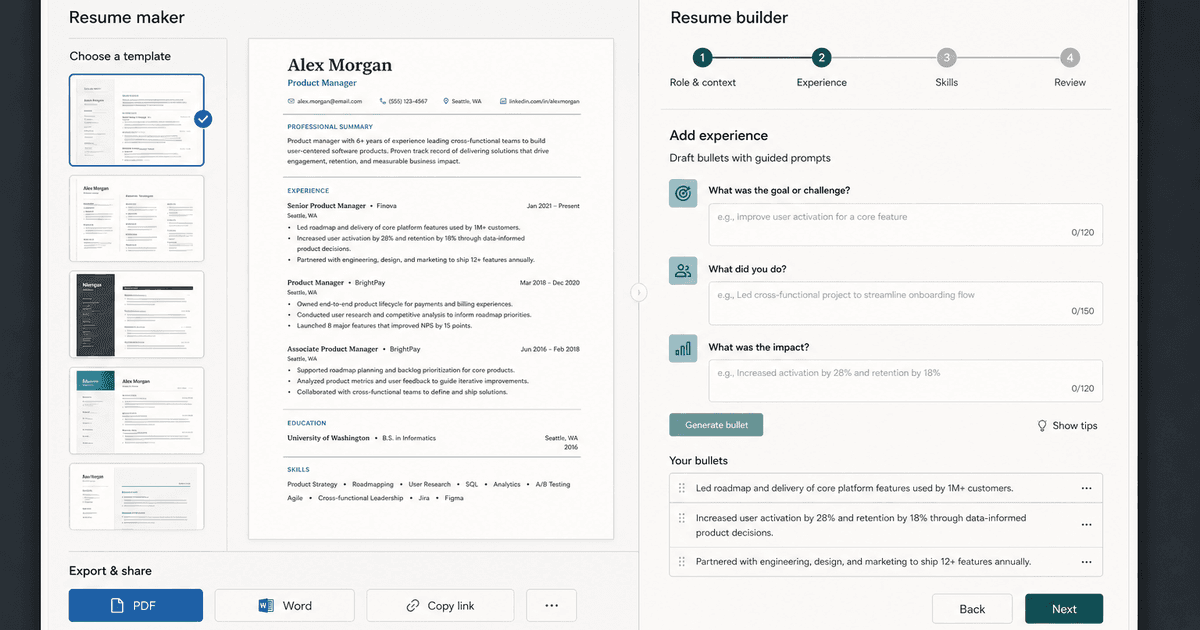
career By Pika Resume Team | Aug 3, 2026
Resume Maker vs Resume Builder: Which Should Job Seekers Use?
By Pika Resume Team | Aug 3, 2026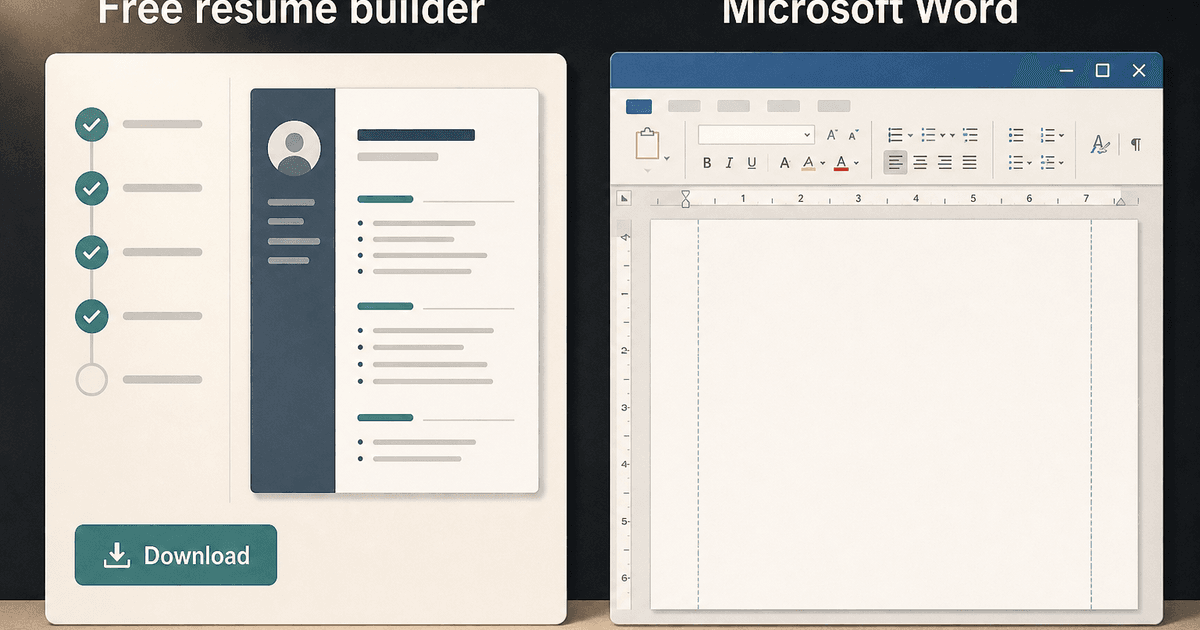
careerBy Pika Resume Team | Aug 2, 2026
Free Resume Builder and Download vs Microsoft Word
By Pika Resume Team | Aug 2, 2026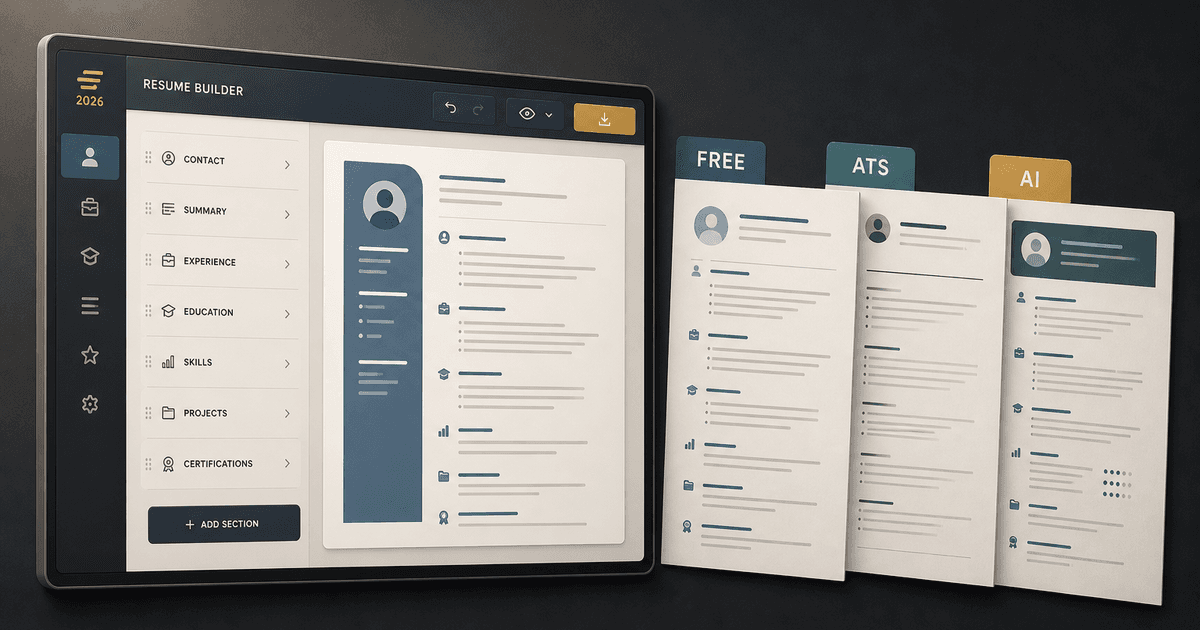
careerBy Pika Resume Team | Jul 30, 2026
What Is the Best Resume Builder Website for 2026?
By Pika Resume Team | Jul 30, 2026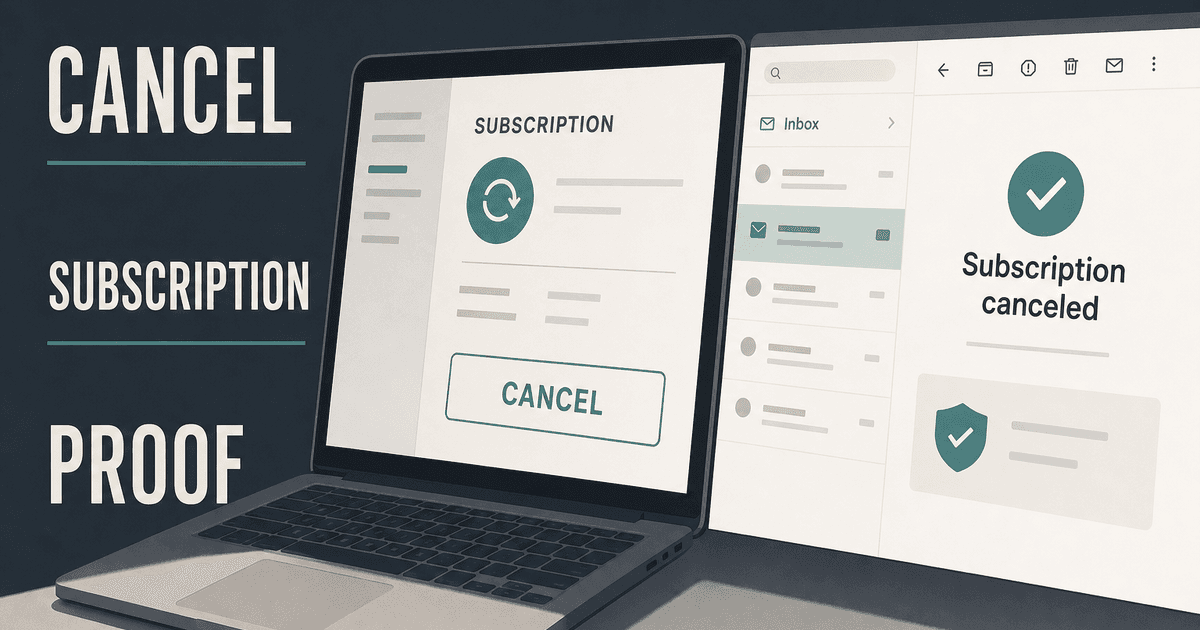
careerBy Pika Resume Team | Jul 27, 2026
How to Cancel Resume Builder Subscription Without Surprises
By Pika Resume Team | Jul 27, 2026
careerBy Pika Resume Team | Jul 26, 2026
How Much Is Resume Builder? Free vs Paid Explained
By Pika Resume Team | Jul 26, 2026
careerBy Pika Resume Team | Jul 20, 2026
Resume Builder App: What the Best One Lets You Do
By Pika Resume Team | Jul 20, 2026
careerBy Pika Resume Team | Jul 19, 2026
Free Resume Builder and Download: Compare the Best Options
By Pika Resume Team | Jul 19, 2026
careerBy Pika Resume Team | Jul 16, 2026
Free AI Resume Builder: What It Does Well and Fails At
By Pika Resume Team | Jul 16, 2026
careerBy Pika Resume Team | Jul 13, 2026
Resume format for ATS: a simple guide that works
By Pika Resume Team | Jul 13, 2026
careerBy Pika Resume Team | Jul 12, 2026
Canva Resume Builder vs ATS Reality Check
By Pika Resume Team | Jul 12, 2026
careerBy Pika Resume Team | Jul 9, 2026
Free resume builder: what makes one worth using
By Pika Resume Team | Jul 9, 2026
careerBy Pika Resume Team | Jul 6, 2026
Resume Builder: What It Actually Does for Job Seekers
By Pika Resume Team | Jul 6, 2026
resume tipsBy Pika Resume Team | Jun 20, 2026
The Resume Sections Most People Get Wrong (and How to Fix Each One)
By Pika Resume Team | Jun 20, 2026resume tipsBy Pika Resume Team | Jun 18, 2026
How to Edit a PDF Resume Without Wrecking the Formatting
By Pika Resume Team | Jun 18, 2026resume reviewBy Pika Resume Team | Jun 16, 2026
AI Resume Feedback vs a Human Expert Review: When Each Is Worth It
By Pika Resume Team | Jun 16, 2026atsBy Pika Resume Team | Jun 14, 2026
What an ATS Actually Does to Your Resume (and the 8 Things It Scores)
By Pika Resume Team | Jun 14, 2026resume tipsBy Pika Resume Team | Jun 12, 2026
How to Tailor Your Resume to a Job Description in 2026 (the 3-Pass Method)
By Pika Resume Team | Jun 12, 2026resumeBy Gargi Chaudhari | May 30, 2026
Resume vs Biodata vs CV: Which One Do You Actually Need?
By Gargi Chaudhari | May 30, 2026resumeBy Astha Narang | May 28, 2026
10 Software Engineer Resume Examples That Got Interviews (2026)
By Astha Narang | May 28, 2026resumeBy Gargi Chaudhari | May 26, 2026
How to Convert a LinkedIn Profile to a Resume or CV
By Gargi Chaudhari | May 26, 2026resumeBy Astha Narang | May 23, 2026
Best Resume Format for Indian IT Services Companies (TCS, Infosys, Wipro, Accenture)
By Astha Narang | May 23, 2026resumeBy Gargi Chaudhari | May 21, 2026
The Complete Guide to ATS Resume Screening in India (2026)
By Gargi Chaudhari | May 21, 2026resumeBy Astha Narang | May 19, 2026
Hobbies and Interests for Resume: Should You Include Them?
By Astha Narang | May 19, 2026resumeBy Gargi Chaudhari | May 14, 2026
How to Write a Resume Headline That Gets Recruiter Calls on Naukri
By Gargi Chaudhari | May 14, 2026interviewBy Astha Narang | May 8, 2026
Decoding Interviewer Psychology: What They Don't Tell You for Your Next Job
By Astha Narang | May 8, 2026resumeBy Gargi Chaudhari | May 7, 2026
Career Objective for Resume: 50+ Fresher Examples (2026)
By Gargi Chaudhari | May 7, 2026resumeBy Astha Narang | May 6, 2026
7 Dangerous ATS Myths Debunked: What Actually Gets You Hired in 2026
By Astha Narang | May 6, 2026resumeBy Astha Narang | May 4, 2026
Master Your Resume: The Ultimate Guide to Listing Computer Skills
By Astha Narang | May 4, 2026resumeBy Astha Narang | Apr 29, 2026
4 Sales Resume Examples for SDR, Account Executive & Manager (2026)
By Astha Narang | Apr 29, 2026resumeBy Astha Narang | Apr 29, 2026
4 Data Analyst Resume Examples for 2026 (Entry-Level to Senior)
By Astha Narang | Apr 29, 2026resumeBy Astha Narang | Apr 24, 2026
Resume Tips for 2026: The Ultimate Guide to Landing Interviews
By Astha Narang | Apr 24, 2026resumeBy Astha Narang | Apr 22, 2026
Bad Resume vs. Good Resume: A Side-by-Side Comparison for Job Seekers
By Astha Narang | Apr 22, 2026resumeBy Astha Narang | Apr 20, 2026
How to Add LinkedIn to Your Resume the Right Way in 2026
By Astha Narang | Apr 20, 2026resumeBy Astha Narang | Apr 17, 2026
7 Common Resume Mistakes to Avoid in 2026 (and How to Fix Them)
By Astha Narang | Apr 17, 2026resumeBy Pika Resume Team | Apr 15, 2026
Master Your LinkedIn-to-Resume Link: A 2026 Guide for Top Candidates
By Pika Resume Team | Apr 15, 2026resumeBy Astha Narang | Apr 13, 2026
How to Write a Winning Resume Summary That Grabs Recruiter Attention
By Astha Narang | Apr 13, 2026careerBy Astha Narang | Apr 11, 2026
Owning Your Career Break: How to Frame a Gap Year on Your Resume in 2026
By Astha Narang | Apr 11, 2026resumeBy Astha Narang | Apr 8, 2026
The Complete 2026 Resume Guide: Crafting a Job-Winning Document
By Astha Narang | Apr 8, 2026resumeBy Astha Narang | Apr 4, 2026
Beat the ATS: Optimize Your Resume for Applicant Tracking Systems in 2026
By Astha Narang | Apr 4, 2026resumeBy Astha Narang | Mar 30, 2026
Expert Resume Review: Is It Worth the Investment for Your Career?
By Astha Narang | Mar 30, 2026resumeBy Astha Narang | Mar 27, 2026
How Many References Should You Have on Your Resume?
By Astha Narang | Mar 27, 2026resumeBy Astha Narang | Mar 25, 2026
Master the 30-Second Resume Scan: Expert & Recruiter Insights
By Astha Narang | Mar 25, 2026resumeBy Astha Narang | Mar 24, 2026
How to Explain Employment Gaps on Your Resume & Ace Interviews
By Astha Narang | Mar 24, 2026resumeBy Astha Narang | Mar 20, 2026
Master Resume Keywords: Your Guide to ATS Success
By Astha Narang | Mar 20, 2026careerBy Astha Narang | Mar 18, 2026
How to Stand Out in Interviews While Still Being Authentic
By Astha Narang | Mar 18, 2026careerBy Astha Narang | Mar 14, 2026
Why Sending the Same Resume to Every Job is Costing You Interviews
By Astha Narang | Mar 14, 2026resumeBy Astha Narang | Mar 12, 2026
The Dynamic Duo: Why AI + Human Expertise is the 2026 Career Cheat Code
By Astha Narang | Mar 12, 2026careerBy Astha Narang | Mar 9, 2026
Get Your Resume Roasted Using PIKA AI
By Astha Narang | Mar 9, 2026jobBy Astha Narang | Mar 7, 2026
How to Show a Promotion on Your Resume? (And Why Most People Get It Wrong)
By Astha Narang | Mar 7, 2026careerBy Astha Narang | Mar 6, 2026
Should You Put Your Address on Your Resume in 2026?
By Astha Narang | Mar 6, 2026careerBy Astha Narang | Mar 3, 2026
Is It Illegal to Lie on a Resume? What Actually Happens in 2026
By Astha Narang | Mar 3, 2026jobBy Pika Resume Team | Feb 5, 2026
How to Optimize Your Resume for Remote Job Applications
By Pika Resume Team | Feb 5, 2026interviewBy Pika Resume Team | Feb 1, 2026
How to Write an ATS-Friendly Resume in 2026
By Pika Resume Team | Feb 1, 2026cover-letterBy Pika Resume Team | Jan 25, 2026
Top 7 Cover Letter Mistakes That Cost You the Interview
By Pika Resume Team | Jan 25, 2026resumeBy Pika Resume Team | Jan 18, 2026
AI Resume Builders: A Complete Guide for Job Seekers in 2026
By Pika Resume Team | Jan 18, 2026jobBy Pika Resume Team | Jan 10, 2026
Resume Tips for Career Changers: Making a Smooth Transition
By Pika Resume Team | Jan 10, 2026careerBy Pika Resume Team | Jan 3, 2026
The Power of Keywords in Your Resume: An SEO Approach to Job Applications
By Pika Resume Team | Jan 3, 2026