
Free resume builder: what makes one worth using
Cut hidden paywalls and weak exports. See what makes a free resume builder truly useful, from ATS-friendly formatting to stable PDF download.
 Published by Pika Resume Team|July 9, 2026|12 min read
Free resume builder: what makes one worth using
A free resume builder is worth using when it helps someone create, edit, and download a clean resume without hidden paywalls, clumsy formatting, or a last-step upgrade prompt. As of July 2026, that is the real test, not whether the tool looks polished on the landing page.
If the goal is a fast, practical resume that stays readable and exportable, the builder has to do more than offer a template. Pikaresume’s resume builder for job seekers is a good example of the kind of workflow this article is judging: structure first, friction second, and no surprises at the end.
Key takeaways
- A free resume builder is worth using only if the core workflow stays free from draft to download.
- The best ones are transparent about export limits, file types, and upgrade prompts before you invest time.
- Template quality matters, but a clean resume format and stable PDF export matter more.
- A builder beats static free resume templates when you want speed, editing support, and fewer layout problems.
- The right choice depends on whether you value convenience, ATS-friendly structure, or design flexibility.
The short answer: what makes a free resume builder worth using?
A free resume builder is worth using when it lets someone finish a usable resume without paying to unlock the last step. That means you can edit the content, preview the layout, and export a professional file without watermarks, blocked downloads, or a credit card prompt.
That sounds basic, but many tools stop being free exactly where the user needs them most. The builder should make the process easier than starting from scratch in Microsoft Word or Google Docs, and it should not trade that convenience for a trap at the end. If the product hides its limits, it is not really free. If it stays free through export, it is at least worth considering. Check the pricing details before you invest time, because hidden paywalls usually show up around download, template access, or document sharing.
What makes a free resume builder genuinely free?
A genuinely free resume builder covers the full core job: drafting, editing, previewing, and exporting a resume that you can actually send to employers. If the service only lets you build half a resume before asking for payment, the free label is doing too much work.
The easiest way to test that claim is to look for four things:
- No forced upgrade before download.
- No watermark on the exported file.
- No required credit card to start or finish.
- No locked template that collapses the moment you try to save.
That is also where free resume templates can mislead people. A template is just a starting file. You still have to shape the content, preserve spacing, and keep the file from breaking when it is opened in another program. A true builder does that work for you. A template often pushes that work back onto you.
Tip: If a site says the resume is free but the PDF export is not, treat the offer as incomplete. The export is the moment that matters.
Which features matter most in a free resume builder?
The best free resume builder is the one that makes the resume easier to finish, not just easier to start.
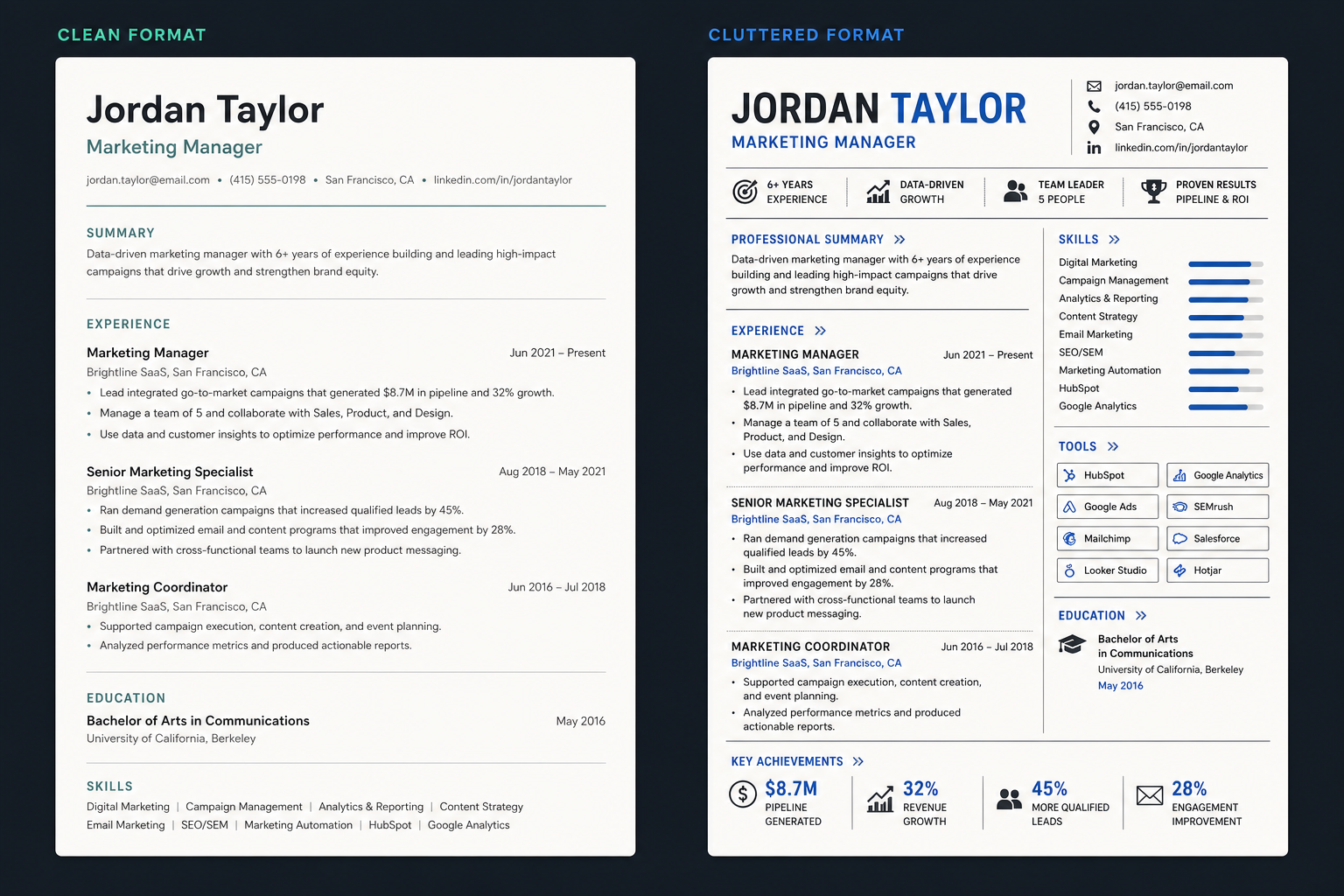
Clean structure matters more than decorative extras.
A useful builder usually gets six things right:
- Clean resume format. The layout should be easy to scan, with clear section headers and enough white space to make the page readable.
- Simple editing. You should be able to change text without fighting the template.
- Stable export. PDF output should preserve the layout exactly as previewed.
- ATS-friendly structure. The resume should stay machine-readable, with predictable headings and no decorative clutter that confuses parsing.
- Fast workflow. Good tools keep the process short, especially for job seekers who need a resume now.
- Useful prompts. Strong builders help with work history, skills, and education instead of leaving every section blank.
That mix matters because the user is not buying design. They are buying time, clarity, and a lower risk of making formatting mistakes. A builder that looks modern but hides basic editing behind a paywall is worse than a simple one that works end to end.
For people who want to start from an actual clean layout, a minimalist resume template is usually a better default than a flashy design with icons and columns.
What matters most when you compare free resume builders?
The fastest way to judge a free resume builder is to check whether it saves time without creating cleanup work later. A usable tool gives you a clean editor, a stable preview, and a download that matches what you saw on screen.
| Criterion | What to look for | What to avoid |
|---|---|---|
| Free access | Full editing and export without payment | Draft-only access that blocks download |
| Format | Simple, readable sections | Crowded layouts with too many design elements |
| ATS fit | Standard headings and clean structure | Heavy graphics or unusual text placement |
| Export | Stable PDF download | Watermarked or low-quality output |
| Editing | Easy updates after the first draft | Templates that break when you change one line |
Is it better to use a resume builder or free resume templates?
A resume builder is usually the better choice when the goal is speed, structure, and fewer formatting headaches.
Free resume templates can work well if the user already knows how to edit documents and wants full control. But they often depend on manual formatting, and that is where problems start. Open a template in Microsoft Word, adjust one line, and the spacing can shift. Paste it into Google Docs, and the alignment may change again. The result can be fine, but only after more fixing than most job seekers want to do.
A builder is stronger when the user needs guidance. It gives structure first and design second. That is especially useful for someone rebuilding a resume after a gap, a role change, or a messy old file. If the starting point is rough, a builder often saves more time than a template ever can. For readers trying to repair an existing document, the resume upload workflow is often the faster path than rebuilding from a blank page.
How do ATS, PDF, and resume format affect the result?
ATS, PDF, and resume format matter because they determine whether the file is easy to read by both software and people.
ATS screening is still part of many hiring workflows, so a resume should use a predictable structure: contact details, summary, work history, skills, and education. Fancy design does not help if parsing fails or the key details land in the wrong place. Jobscan has built its brand around helping users check this kind of alignment, which is useful as a reference point for why structure still matters.
PDF is usually the safest export format because it preserves spacing and layout. But that only helps if the builder previews the file honestly before export. A good tool should make the editable version flexible and the exported version stable. That is the balance to look for.
The practical rule is simple: keep the design clean enough that the content survives the move from editor to file. More columns, more graphics, and more icons usually mean more risk. A good builder reduces that risk instead of trying to win the page with decoration.
| Criterion | What to look for | What to avoid |
|---|---|---|
| Free access | Full editing and export without payment | Draft-only access that blocks download |
| Format | Simple, readable sections | Crowded layouts with too many design elements |
| ATS fit | Standard headings and clean structure | Heavy graphics or unusual text placement |
| Export | Stable PDF download | Watermarked or low-quality output |
| Editing | Easy updates after the first draft | Templates that break when you change one line |
What is the best free resume builder for your situation?
The best free resume builder depends on how much control, speed, and design flexibility the user needs.
If the priority is visual polish, Canva is the familiar name most people reach for. It is useful for people who want a broader design environment and are comfortable making aesthetic choices. If the priority is document-style editing, Microsoft Word or Google Docs may feel more familiar, but they demand more manual work and more care with formatting. Adobe Acrobat is more of an editing environment for finished PDFs than a true first-choice builder, so it helps when the resume already exists and only needs cleanup.
For users who want a quick start with less friction, a builder that supports fast creation from an existing profile or LinkedIn data is often the best fit. The point is not to find the fanciest interface. It is to find the one that stays free through the parts that matter. If speed is the main concern, a LinkedIn-to-resume workflow can cut the time to a first draft dramatically.
The easiest way to choose is to match the tool to the job:
- Design-first users: Canva or a similar visual tool.
- Document-first users: Microsoft Word or Google Docs.
- PDF cleanup: Adobe Acrobat.
- ATS-first users: a simple builder with clean structure.
- Speed-first users: a free resume builder that imports content quickly.
| Situation | Better fit | Why |
|---|---|---|
| Need a fast first draft | Free resume builder | Less manual setup |
| Want more design control | Canva or similar design-first tools | More visual freedom |
| Prefer familiar document editing | Microsoft Word or Google Docs | Easy if you already know the tools |
| Need to inspect or clean a PDF | Adobe Acrobat | Better for PDF editing than building |
| Care most about ATS readability | Simple builder with clean format | Fewer parsing risks |
What is a good free resume builder?
A good free resume builder removes friction, makes the resume look professional, and does not surprise the user with a paywall at download time.
That sounds like a short list, but it is a useful one. Good means the tool is clear about what is included, easy to learn, and stable enough that the layout does not fall apart when the user edits a section. It also means the site does not bury the free limitations in fine print. The user should know up front whether the free version includes PDF export, how many templates are available, and whether the final file will be clean.
A builder earns trust when its limitations are visible before the user starts writing. That is the difference between a useful free tool and a waste of time.
What resume builder is actually free?
A resume builder is actually free only if the user can complete the whole core task without paying.
That means more than a free trial or a free draft. It means the user can create the resume, edit it, preview it, and download it in a usable format without a mandatory upgrade. The pricing page should make that clear. If it does not, the user should assume the free claim is partial until proven otherwise.
This is where many free resume builder and download flows become frustrating. The site may let the user build three-quarters of a resume before blocking the export step. Or it may let the user download, but only with a watermark. A builder is only genuinely free if the final file is usable as-is.
Frequently asked questions
What is the best free AI resume builder?
The best free AI resume builder is the one that improves the draft without taking over the decision-making.
AI helps most when it fixes structure, suggests stronger wording, or fills obvious gaps quickly. It helps less when it pushes the user into generic phrasing or hides the actual formatting controls. If a free builder uses AI to speed up the first draft and still lets the user edit everything freely, that is useful. If it uses AI as a sales hook and locks the real output behind payment, it is not.
What is the best free resume builder website?
The best free resume builder website is the one that stays free through the full workflow and keeps the layout stable when the user exports it.
That means transparent pricing, no surprise paywall, clean templates, and an export that does not break the design. A website that makes the process short and clear is more useful than one that looks impressive but wastes time.
What are the best free resume builder sites?
The best free resume builder sites are the ones that let users finish a real resume without hidden limits.
The strongest sites usually combine clear pricing, a simple editor, ATS-friendly templates, and a PDF download that matches the preview. If a site makes the user fight the interface or pay to remove the watermark, it is not worth the time.
What is a free resume builder?
A free resume builder is an online tool that lets someone create a resume without paying for the basic workflow.
In practice, that means editing, formatting, previewing, and exporting a usable file without a required upgrade. The phrase only means something if the final resume can actually be sent to employers.


Create your Resume
Your resume is an extension of you. Make it truly yours.
Related Articles
Related guides & tools
Continue Reading
Check more recommended readings to get the job of your dreams.
careerBy Pika Resume Team | Aug 3, 2026
Resume Maker vs Resume Builder: Which Should Job Seekers Use?
By Pika Resume Team | Aug 3, 2026
careerBy Pika Resume Team | Aug 2, 2026
Free Resume Builder and Download vs Microsoft Word
By Pika Resume Team | Aug 2, 2026
careerBy Pika Resume Team | Jul 30, 2026
What Is the Best Resume Builder Website for 2026?
By Pika Resume Team | Jul 30, 2026
careerBy Pika Resume Team | Jul 27, 2026
How to Cancel Resume Builder Subscription Without Surprises
By Pika Resume Team | Jul 27, 2026
careerBy Pika Resume Team | Jul 26, 2026
How Much Is Resume Builder? Free vs Paid Explained
By Pika Resume Team | Jul 26, 2026
careerBy Pika Resume Team | Jul 20, 2026
Resume Builder App: What the Best One Lets You Do
By Pika Resume Team | Jul 20, 2026
careerBy Pika Resume Team | Jul 19, 2026
Free Resume Builder and Download: Compare the Best Options
By Pika Resume Team | Jul 19, 2026
careerBy Pika Resume Team | Jul 16, 2026
Free AI Resume Builder: What It Does Well and Fails At
By Pika Resume Team | Jul 16, 2026
careerBy Pika Resume Team | Jul 13, 2026
Resume format for ATS: a simple guide that works
By Pika Resume Team | Jul 13, 2026
careerBy Pika Resume Team | Jul 12, 2026
Canva Resume Builder vs ATS Reality Check
By Pika Resume Team | Jul 12, 2026
careerBy Pika Resume Team | Jul 9, 2026
Free resume builder: what makes one worth using
By Pika Resume Team | Jul 9, 2026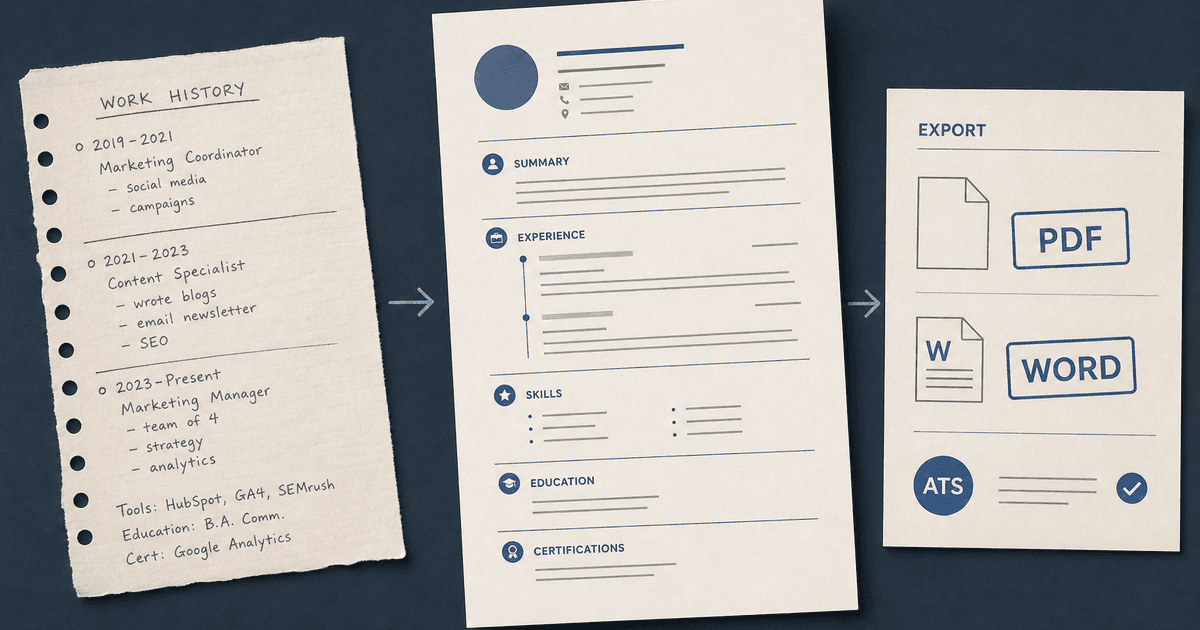
careerBy Pika Resume Team | Jul 6, 2026
Resume Builder: What It Actually Does for Job Seekers
By Pika Resume Team | Jul 6, 2026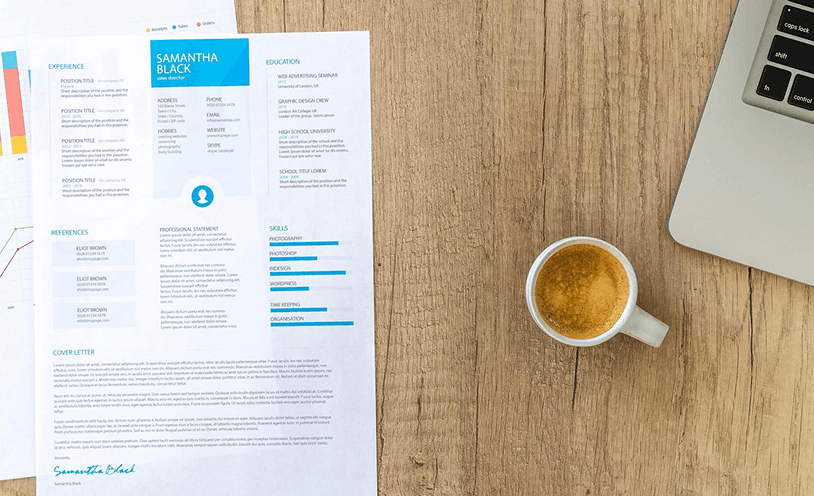
resume tipsBy Pika Resume Team | Jun 20, 2026
The Resume Sections Most People Get Wrong (and How to Fix Each One)
By Pika Resume Team | Jun 20, 2026resume tipsBy Pika Resume Team | Jun 18, 2026
How to Edit a PDF Resume Without Wrecking the Formatting
By Pika Resume Team | Jun 18, 2026resume reviewBy Pika Resume Team | Jun 16, 2026
AI Resume Feedback vs a Human Expert Review: When Each Is Worth It
By Pika Resume Team | Jun 16, 2026atsBy Pika Resume Team | Jun 14, 2026
What an ATS Actually Does to Your Resume (and the 8 Things It Scores)
By Pika Resume Team | Jun 14, 2026resume tipsBy Pika Resume Team | Jun 12, 2026
How to Tailor Your Resume to a Job Description in 2026 (the 3-Pass Method)
By Pika Resume Team | Jun 12, 2026resumeBy Gargi Chaudhari | May 30, 2026
Resume vs Biodata vs CV: Which One Do You Actually Need?
By Gargi Chaudhari | May 30, 2026resume By Astha Narang | May 28, 2026
10 Software Engineer Resume Examples That Got Interviews (2026)
By Astha Narang | May 28, 2026resumeBy Gargi Chaudhari | May 26, 2026
How to Convert a LinkedIn Profile to a Resume or CV
By Gargi Chaudhari | May 26, 2026resumeBy Astha Narang | May 23, 2026
Best Resume Format for Indian IT Services Companies (TCS, Infosys, Wipro, Accenture)
By Astha Narang | May 23, 2026resumeBy Gargi Chaudhari | May 21, 2026
The Complete Guide to ATS Resume Screening in India (2026)
By Gargi Chaudhari | May 21, 2026resumeBy Astha Narang | May 19, 2026
Hobbies and Interests for Resume: Should You Include Them?
By Astha Narang | May 19, 2026resumeBy Gargi Chaudhari | May 14, 2026
How to Write a Resume Headline That Gets Recruiter Calls on Naukri
By Gargi Chaudhari | May 14, 2026interviewBy Astha Narang | May 8, 2026
Decoding Interviewer Psychology: What They Don't Tell You for Your Next Job
By Astha Narang | May 8, 2026resumeBy Gargi Chaudhari | May 7, 2026
Career Objective for Resume: 50+ Fresher Examples (2026)
By Gargi Chaudhari | May 7, 2026resumeBy Astha Narang | May 6, 2026
7 Dangerous ATS Myths Debunked: What Actually Gets You Hired in 2026
By Astha Narang | May 6, 2026resumeBy Astha Narang | May 4, 2026
Master Your Resume: The Ultimate Guide to Listing Computer Skills
By Astha Narang | May 4, 2026resumeBy Astha Narang | Apr 29, 2026
4 Sales Resume Examples for SDR, Account Executive & Manager (2026)
By Astha Narang | Apr 29, 2026resumeBy Astha Narang | Apr 29, 2026
4 Data Analyst Resume Examples for 2026 (Entry-Level to Senior)
By Astha Narang | Apr 29, 2026resumeBy Astha Narang | Apr 24, 2026
Resume Tips for 2026: The Ultimate Guide to Landing Interviews
By Astha Narang | Apr 24, 2026resumeBy Astha Narang | Apr 22, 2026
Bad Resume vs. Good Resume: A Side-by-Side Comparison for Job Seekers
By Astha Narang | Apr 22, 2026resumeBy Astha Narang | Apr 20, 2026
How to Add LinkedIn to Your Resume the Right Way in 2026
By Astha Narang | Apr 20, 2026resumeBy Astha Narang | Apr 17, 2026
7 Common Resume Mistakes to Avoid in 2026 (and How to Fix Them)
By Astha Narang | Apr 17, 2026resumeBy Pika Resume Team | Apr 15, 2026
Master Your LinkedIn-to-Resume Link: A 2026 Guide for Top Candidates
By Pika Resume Team | Apr 15, 2026resumeBy Astha Narang | Apr 13, 2026
How to Write a Winning Resume Summary That Grabs Recruiter Attention
By Astha Narang | Apr 13, 2026careerBy Astha Narang | Apr 11, 2026
Owning Your Career Break: How to Frame a Gap Year on Your Resume in 2026
By Astha Narang | Apr 11, 2026resumeBy Astha Narang | Apr 8, 2026
The Complete 2026 Resume Guide: Crafting a Job-Winning Document
By Astha Narang | Apr 8, 2026resumeBy Astha Narang | Apr 4, 2026
Beat the ATS: Optimize Your Resume for Applicant Tracking Systems in 2026
By Astha Narang | Apr 4, 2026resumeBy Astha Narang | Mar 30, 2026
Expert Resume Review: Is It Worth the Investment for Your Career?
By Astha Narang | Mar 30, 2026resumeBy Astha Narang | Mar 25, 2026
Master the 30-Second Resume Scan: Expert & Recruiter Insights
By Astha Narang | Mar 25, 2026resumeBy Astha Narang | Mar 24, 2026
How to Explain Employment Gaps on Your Resume & Ace Interviews
By Astha Narang | Mar 24, 2026resumeBy Astha Narang | Mar 20, 2026
Master Resume Keywords: Your Guide to ATS Success
By Astha Narang | Mar 20, 2026careerBy Astha Narang | Mar 18, 2026
How to Stand Out in Interviews While Still Being Authentic
By Astha Narang | Mar 18, 2026careerBy Astha Narang | Mar 14, 2026
Why Sending the Same Resume to Every Job is Costing You Interviews
By Astha Narang | Mar 14, 2026resumeBy Astha Narang | Mar 12, 2026
The Dynamic Duo: Why AI + Human Expertise is the 2026 Career Cheat Code
By Astha Narang | Mar 12, 2026careerBy Astha Narang | Mar 9, 2026
Get Your Resume Roasted Using PIKA AI
By Astha Narang | Mar 9, 2026jobBy Astha Narang | Mar 7, 2026
How to Show a Promotion on Your Resume? (And Why Most People Get It Wrong)
By Astha Narang | Mar 7, 2026careerBy Astha Narang | Mar 6, 2026
Should You Put Your Address on Your Resume in 2026?
By Astha Narang | Mar 6, 2026careerBy Astha Narang | Mar 3, 2026
Is It Illegal to Lie on a Resume? What Actually Happens in 2026
By Astha Narang | Mar 3, 2026jobBy Pika Resume Team | Feb 5, 2026
How to Optimize Your Resume for Remote Job Applications
By Pika Resume Team | Feb 5, 2026interviewBy Pika Resume Team | Feb 1, 2026
How to Write an ATS-Friendly Resume in 2026
By Pika Resume Team | Feb 1, 2026cover-letterBy Pika Resume Team | Jan 25, 2026
Top 7 Cover Letter Mistakes That Cost You the Interview
By Pika Resume Team | Jan 25, 2026resumeBy Pika Resume Team | Jan 18, 2026
AI Resume Builders: A Complete Guide for Job Seekers in 2026
By Pika Resume Team | Jan 18, 2026jobBy Pika Resume Team | Jan 10, 2026
Resume Tips for Career Changers: Making a Smooth Transition
By Pika Resume Team | Jan 10, 2026careerBy Pika Resume Team | Jan 3, 2026
The Power of Keywords in Your Resume: An SEO Approach to Job Applications
By Pika Resume Team | Jan 3, 2026